

WinHex安装与使用
创始人
2025-01-21 05:06:12
0次
目录
下载WinHex
安装WinHex
查看现成的磁盘文件
手动创建磁盘文件
创建磁盘文件
创建分区
安装引导程序
查看磁盘
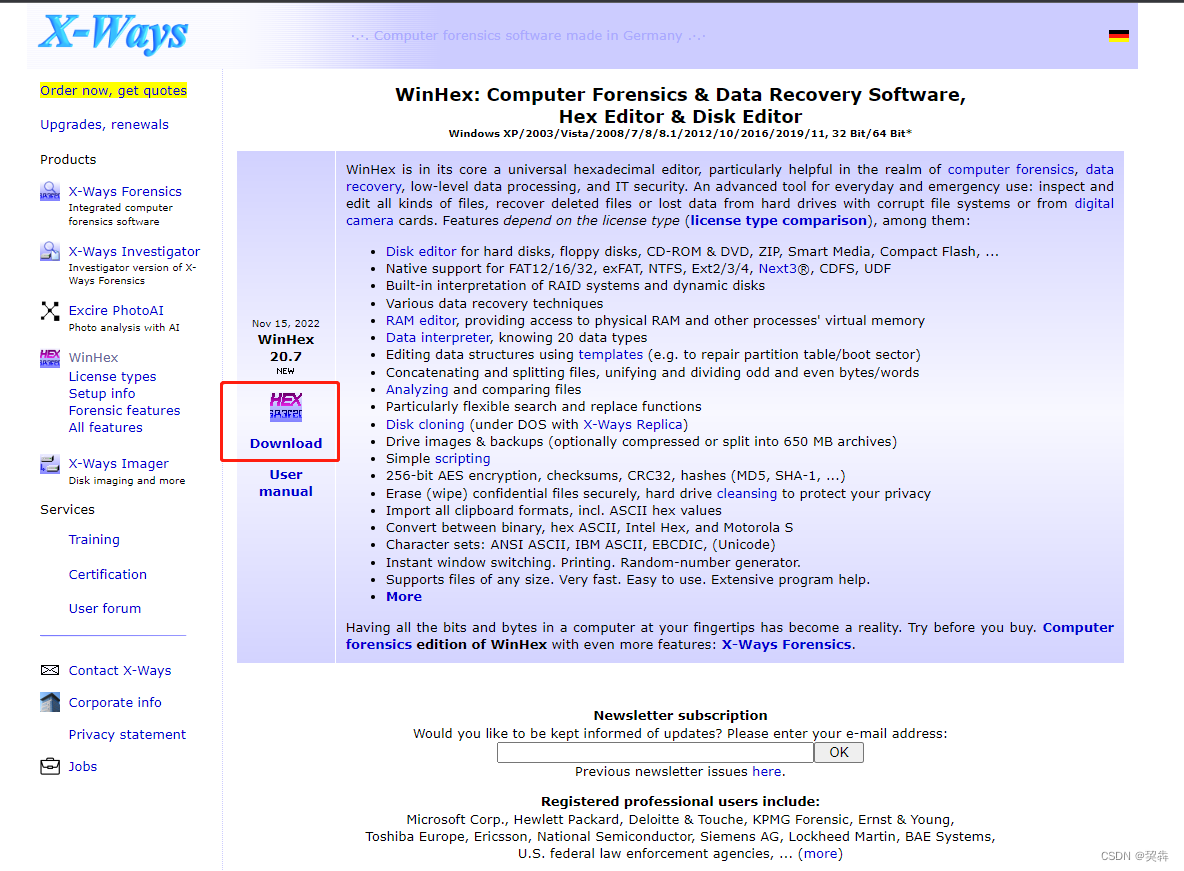
下载WinHex
下载链接:
WinHex: Hex Editor & Disk Editor, Computer Forensics & Data Recovery Software
安装WinHex
1).下载完成后出现winhex.zip文件,解压文件,放置到合适位置。如图为winhex.zip内的内容。
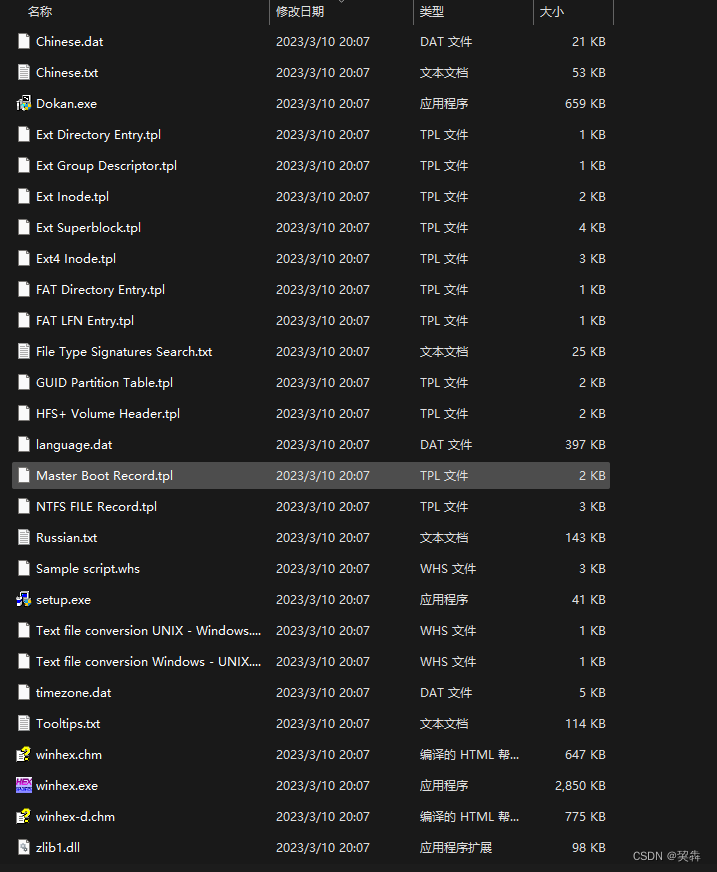
2).解压完成之后,直接以管理员方式直接打开winhex.exe文件即可。

查看现成的磁盘文件
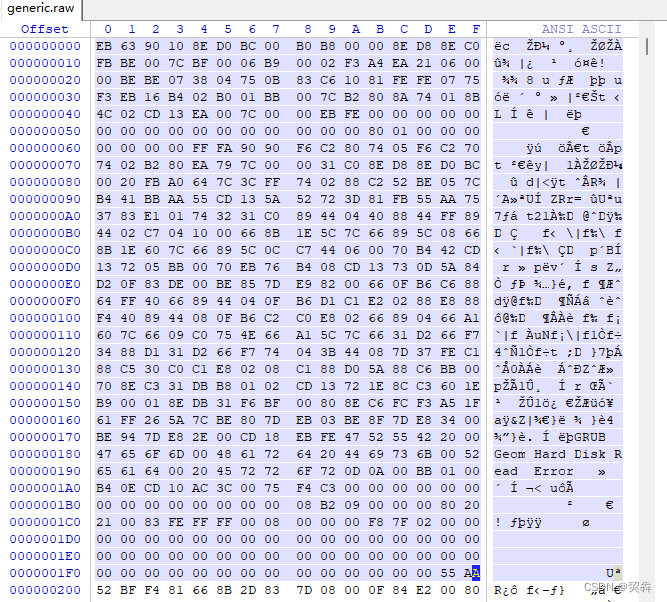
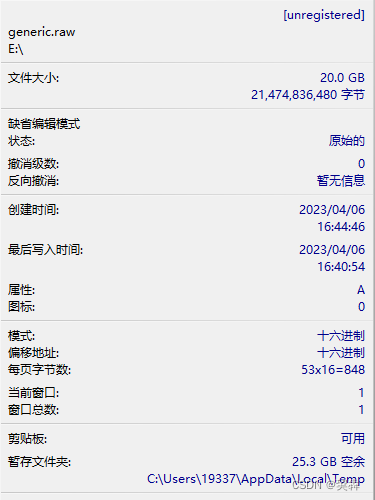
磁盘文件可以通过kvm、vmware、virtualbox等软件进行创建,但是需要将vmdk,qcow2等格式的自盘文件转换为raw格式。
[root@zyq images]# /home/zyq/qemu-img convert -p -O raw generic.qcow2 generic.raw (100.00/100%) [root@zyq images]# [root@zyq images]# ll generic.* -h -rw------- 1 root root 21G Apr 6 08:54 generic.qcow2 -rw-r--r-- 1 root root 20G Apr 6 17:49 generic.raw [root@zyq images]# ll generic.* -rw------- 1 root root 21478375424 Apr 6 08:54 generic.qcow2 -rw-r--r-- 1 root root 21474836480 Apr 6 17:49 generic.raw 查看转换格式后的磁盘文件
手动创建磁盘文件
创建磁盘文件
[root@zyq tmp]# dd if=/dev/zero of=/tmp/test.img bs=512 count=100000 100000+0 records in 100000+0 records out 51200000 bytes (51 MB) copied, 0.0909236 s, 563 MB/s [root@zyq tmp]# ll test.img -rw-r--r-- 1 root root 51200000 Apr 7 09:00 test.img [root@zyq tmp]# ll test.img -h -rw-r--r-- 1 root root 49M Apr 7 09:00 test.img创建分区
[root@zyq tmp]# fdisk test.img Welcome to fdisk (util-linux 2.23.2). Changes will remain in memory only, until you decide to write them. Be careful before using the write command. Device does not contain a recognized partition table Building a new DOS disklabel with disk identifier 0xfd823fb1. Command (m for help): n Partition type: p primary (0 primary, 0 extended, 4 free) e extended Select (default p): Using default response p Partition number (1-4, default 1): First sector (2048-99999, default 2048): Using default value 2048 Last sector, +sectors or +size{K,M,G} (2048-99999, default 99999): Using default value 99999 Partition 1 of type Linux and of size 47.8 MiB is set Command (m for help): w The partition table has been altered! Syncing disks. [root@zyq tmp]# partprobe test.img [root@zyq tmp]# fdisk test.img -l Disk test.img: 51 MB, 51200000 bytes, 100000 sectors Units = sectors of 1 * 512 = 512 bytes Sector size (logical/physical): 512 bytes / 512 bytes I/O size (minimum/optimal): 512 bytes / 512 bytes Disk label type: dos Disk identifier: 0xfd823fb1 Device Boot Start End Blocks Id System test.img1 2048 99999 48976 83 Linux安装引导程序
[root@zyq tmp]# grub2-install test.img Installing for x86_64-efi platform. Installation finished. No error reported.查看磁盘
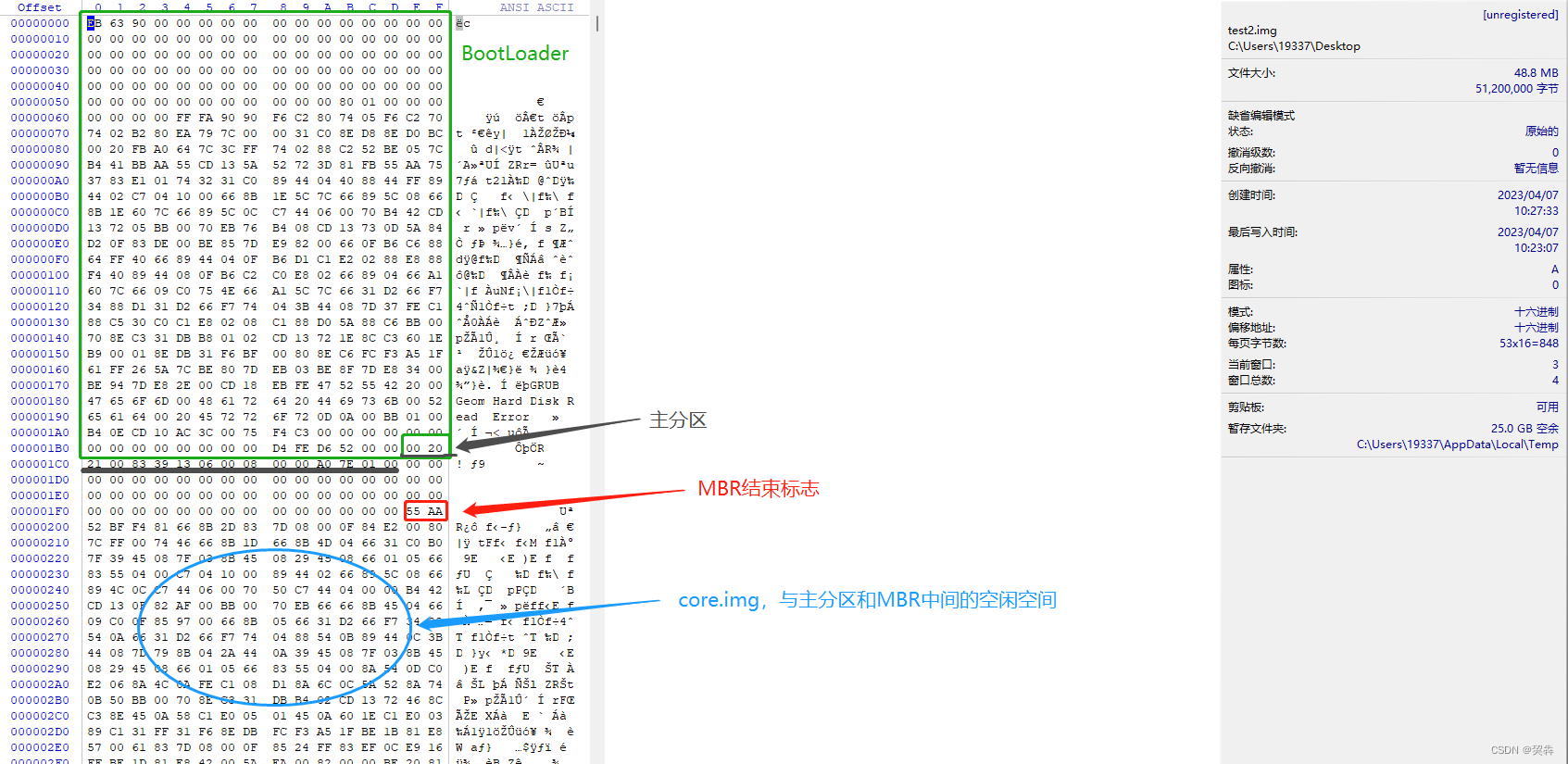
core.img占据的空间大小
2048*512/1024-0.5=1023.5Kbytes
相关内容
热门资讯
实测教程!wepoker内置辅...
实测教程!wepoker内置辅助器,wejoker内置辅助,专业教程(了解有挂);一、玩家揭秘wep...
我来教大家!吉祥填大坑脚本,p...
您好:吉祥填大坑脚本这款游戏可以开挂的,确实是有挂的,很多玩家在这款游戏中打牌都会发现很多用户的牌特...
9分钟了解!宁波同乐游辅助下载...
9分钟了解!宁波同乐游辅助下载,wepoker好友局透视,力荐教程(有挂详细);宁波同乐游辅助下载免...
重要通知!欢乐联盟卡五星辅助,...
重要通知!欢乐联盟卡五星辅助,wepoker有用吗,细节方法(有挂秘籍)是一款可以让一直输的玩家,快...
研究成果!九九联盟解码器,we...
研究成果!九九联盟解码器,wepoker免费脚本咨询,wepoke教程(有挂讲解);九九联盟解码器最...
带你了解!多乐辅助app,hh...
【福星临门,好运相随】;带你了解!多乐辅助app,hhpoker辅助挂下载,透牌教程(有挂头条);暗...
总算了解!来几局辅助器开挂,h...
总算了解!来几局辅助器开挂,hhpoker辅助挂是真的吗,透明挂教程(有挂讲解);来几局辅助器开挂免...
必看攻略!微信呢小程序辅助器,...
必看攻略!微信呢小程序辅助器,wepoker透视脚本下载,大神讲解(有挂实锤),微信呢小程序辅助器是...
每日必备!长春科乐天天踢辅助,...
每日必备!长春科乐天天踢辅助,pokemmo脚本辅助,总结教程(有挂方式);1、让任何用户在无需AI...
发现一款!闲来辅助神器怎么下载...
您好:闲来辅助神器怎么下载这款游戏可以开挂的,确实是有挂的,很多玩家在这款游戏中打牌都会发现很多用户...