

Ubuntu 搭建gitlab服务器,及使用repo管理
一、GitLab安装与配置
GitLab 是一个用于仓库管理系统的开源项目,使用Git作为代码管理工具,并在此基础上搭建起来的Web服务。
1、安装Ubuntu系统(这个教程很多,就不展开了)。
2、安装gitlab社区版本,有需要的可以使用专业版(收费的,我是个人使用就按社区版)
(1)安装相关依赖:
sudo apt-get update sudo apt-get install -y curl openssh-server ca-certificates tzdata perl(2)配置 GitLab 软件源镜像源:
curl -sS https://packages.gitlab.com/install/repositories/gitlab/gitlab-ce/script.deb.sh | sudo bash(3)安装 gitlab-ce:
sudo apt-get install gitlab-ce(4)配置 gitlab:
sudo vi /etc/gitlab/gitlab.rb第一个修改点:配置外部访问ip地址
例如:external_url 'http://192.168.8.181:8888'
第二个修改点:配置ssh(Tip:这个不配置的话可能出现仓库地址没有ssh://及对应端口号)
配置ssh端口号:
gitlab_rails['gitlab_shell_ssh_port'] = 8889 gitlab_rails['gitlab_shell_git_timeout'] = 800打开 gitlab-sshd:
gitlab_sshd['enable'] = true gitlab_sshd['listen_address'] = '[::]:8889'重新加载配置:
sudo gitlab-ctl reconfigure(5)启动 gitlab:
# 启动服务 sudo gitlab-ctl start # 重启 sudo gitlab-ctl restart # 停止服务 sudo gitlab-ctl stop # 配置开机自启动 sudo systemctl enable gitlab-runsvdir.service # 取消配置开机自启动 sudo systemctl disenable gitlab-runsvdir.service(6)登录 gitlab:
通过external_url的地址进入,我这边是http://192.168.8.181:8888/
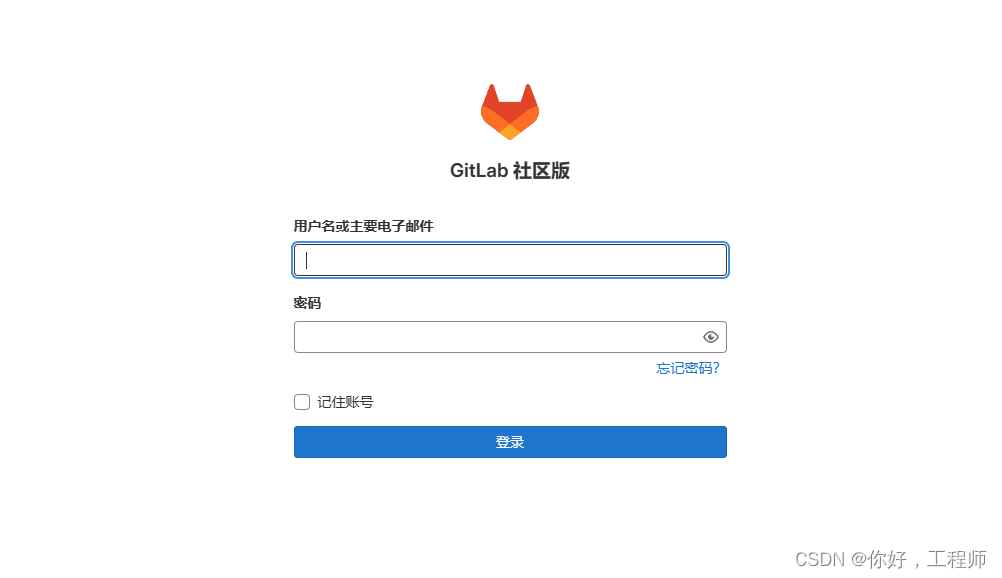 开始使用root登录,密码藏在/etc/gitlab目录一个配置文件下(找找就有了,这个文件在运行24小时后会被删除)
sudo cat initial_root_password

(7)配置中文
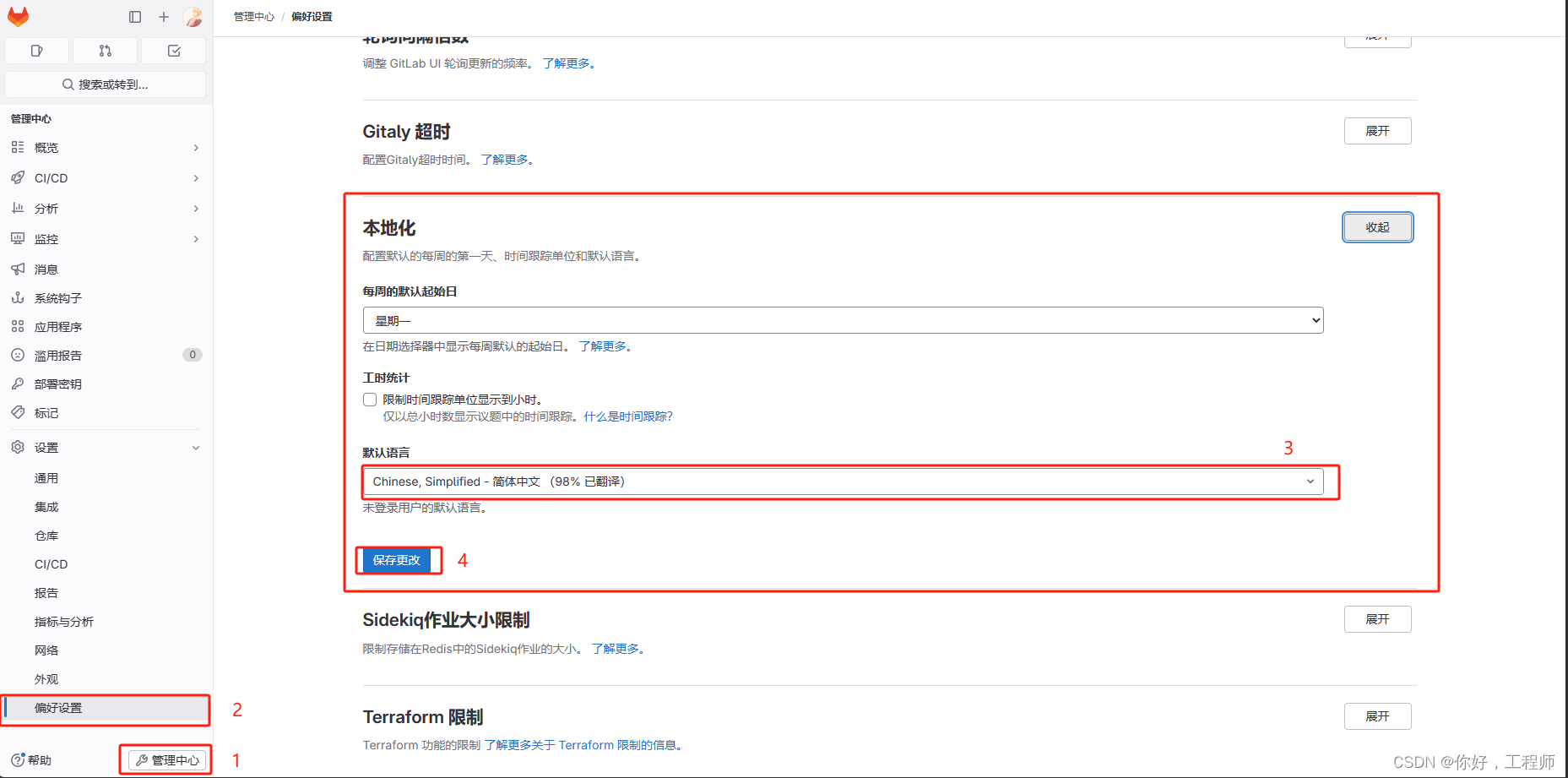
Tip:想要配置中文,新建的账号才会生效
(8)修改git数据存放位置
/etc/gitlab$ sudo vi gitlab.rb
git_data_dirs({ "default" => { "path" => "/home/gitlab_ws" } }) 至此,gitlab就大功告成了,git 咋用就不展开了,点这里常用命令 git_gitdeng-CSDN博客
二、repo的使用
"repo" 命令通常用于管理 Android 项目的多个 Git 仓库。它是 Google 为了方便 Android 平台的开发者而开发的一个工具,用于处理由多个 Git 仓库组成的复杂项目。
以下是一些常用的 "repo" 命令:
repo init:用于初始化一个新的 repo 项目。通常会指定 manifest 文件的 URL,并根据 manifest 文件的内容初始化 Git 仓库。
repo sync:用于将当前工作目录中的 Git 仓库与远程仓库同步。它会拉取最新的代码并应用到本地仓库。
repo start:在一个或多个 Git 仓库上启动一个新的分支。
repo abandon:放弃当前分支的开发,不再跟踪它的提交历史。
repo upload:将本地分支的提交上传到 Gerrit 或其他代码审查工具,以便进行代码审查。
repo forall:对 repo 项目中的所有 Git 仓库执行相同的操作。
目的:将 repo 本地化,并通过 gitlab 管理 Android 源码
1、获取 git-repo 代码
git clone https://gerrit-googlesource.proxy.ustclug.org/git-repo.git2、在 gitlab 上新建一个项目(仓库),并将 git-repo 的文件提交到仓库中
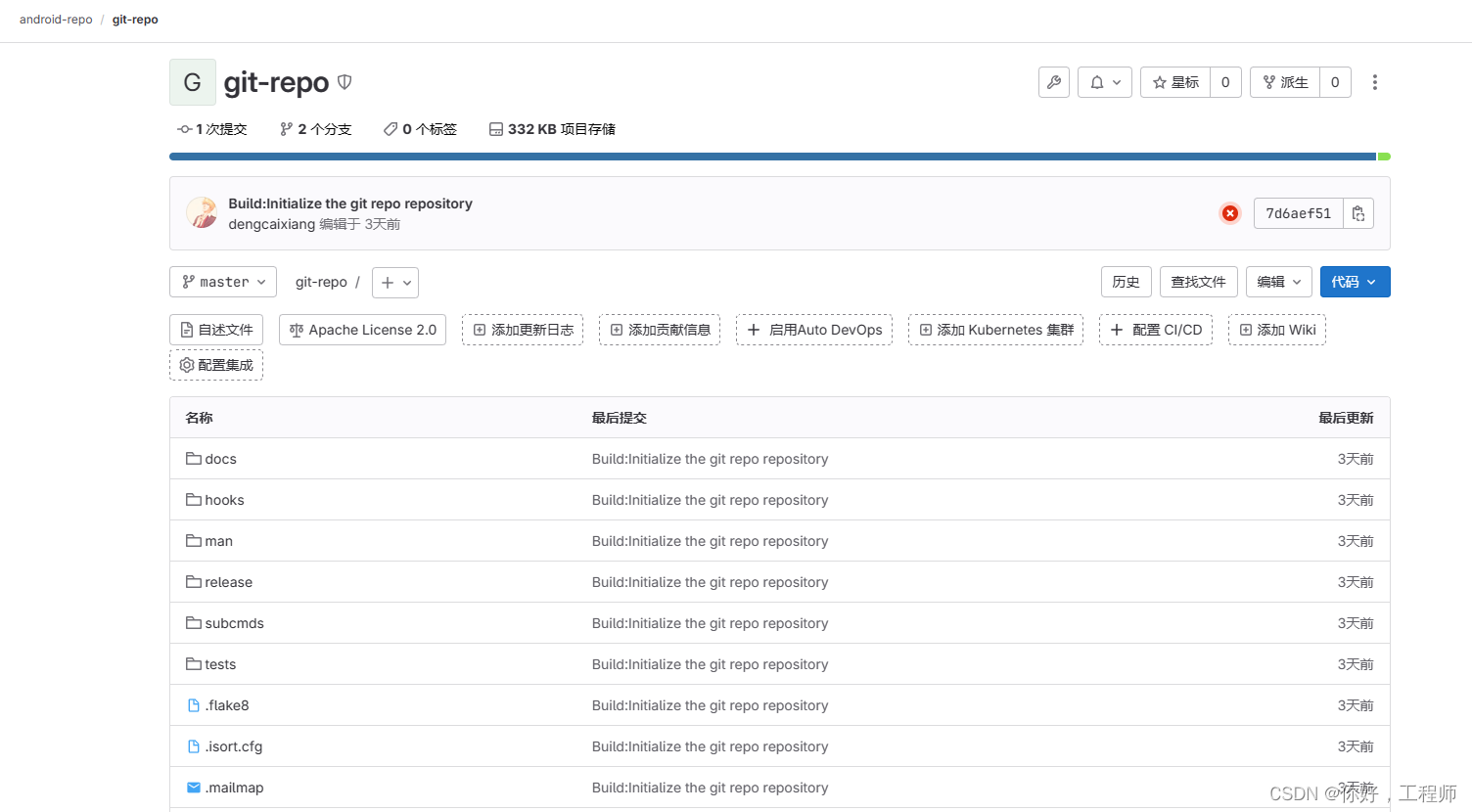
我这创建的是 ssh://git@192.168.8.181:8889/android-repo/git-repo.git
3、修改repo命令
(1)将REPO_URL改成我们构建的仓库地址:
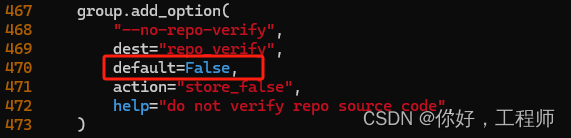
REPO_URL = "ssh://git@192.168.8.181:8889/android-repo/git-repo"(2)关闭 repo 源校验
将 --no-repo-verify 的 default 改为 False
(3)将 repo 命令拷贝到研发服务器的 /usr/local/bin/repo
4、创建 manifest 仓库
5、构建 default.xml,并将文件上传到 manifest 仓库中
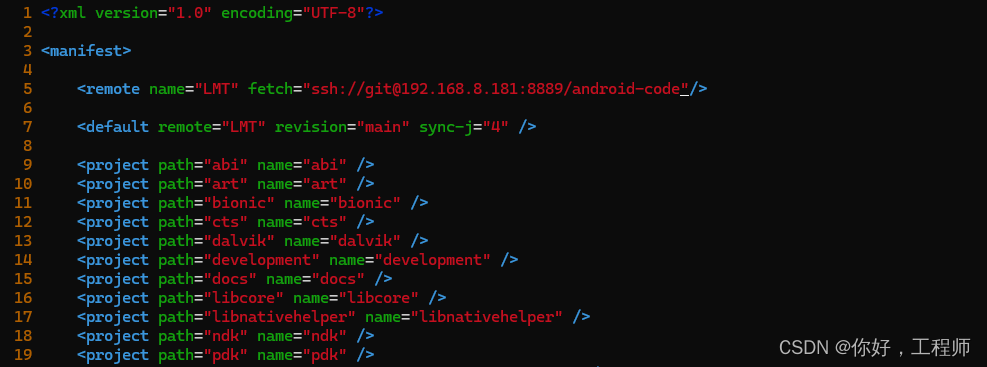
我这里偷了个懒,搞个脚本给我生成,遍历目录,自动创建
6、gitlab 创建好群组
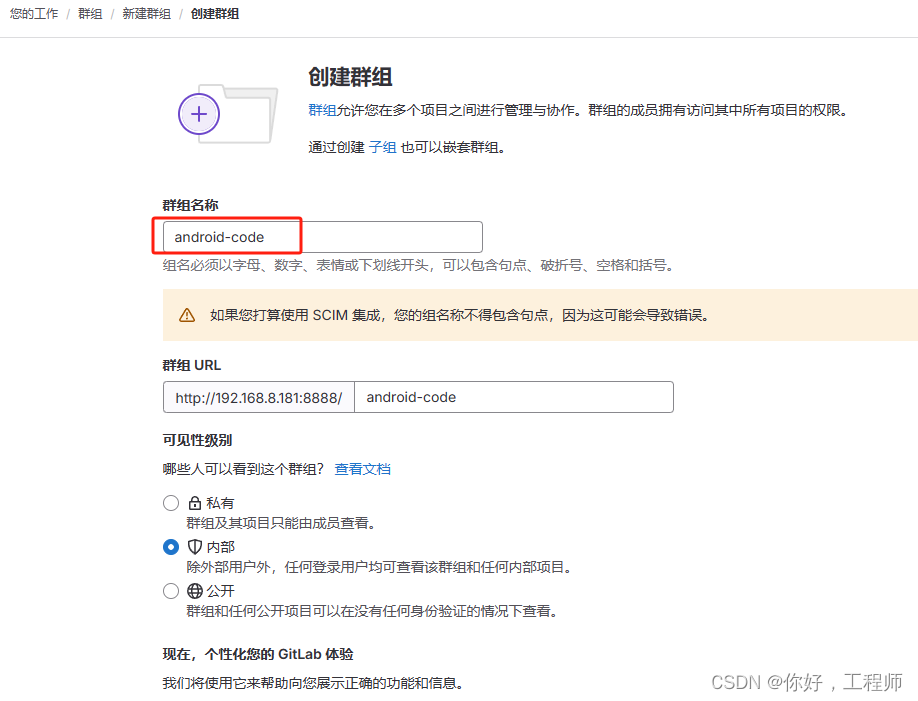
Tip:如果构建了二级目录仓库,同样要在该群组基础上构建子群组。
7、构建仓库,并上传代码
(1)可以手动创建仓库,在界面点击创建项目就行,太累手了,不推荐
(2)命令创建,通过 git 命令构建远端仓库
git init git checkout -b main git remote add origin ssh://git@192.168.8.181:8889/android-code/art.git git add . git commit -m "Initial commit" git push -u origin mainAndroid 代码太多了,需要构建的仓库太多了,有个脚本构建就nice了
8、使用 repo 获取代码
repo init -u ssh://git@192.168.8.181:8889/android-code/manifest.git repo sync完成,Enjoy~