

windows环境下,搭建RTMP视频推流服务器
1. 配置RTMP服务器
1.1 系统环境
我这里使用的Windows 10 64位
1.2 下载 Nginx
下载地址 : http://nginx-win.ecsds.eu/download/nginx 1.7.11.3 Gryphon.zip
Nginx是一款轻量级的Web服务器,可以在大多数 Unix Linux OS 上编译运行,并有 Windows 移植版,本文所述的RTMP服务器就是基于Nginx开发的module。
1.3 下载 nginx-rtmp-module
nginx-rtmp-module就是基于Nginx开发的RTMP module
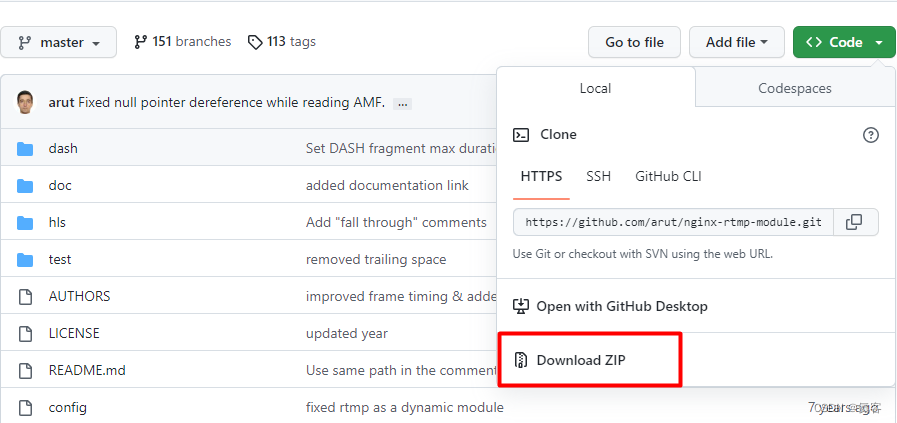
下载地址 : https://github.com/arut/nginx-rtmp-module
这里,我们可以直接下载ZIP文件
1.4 解压 文件
- 解压
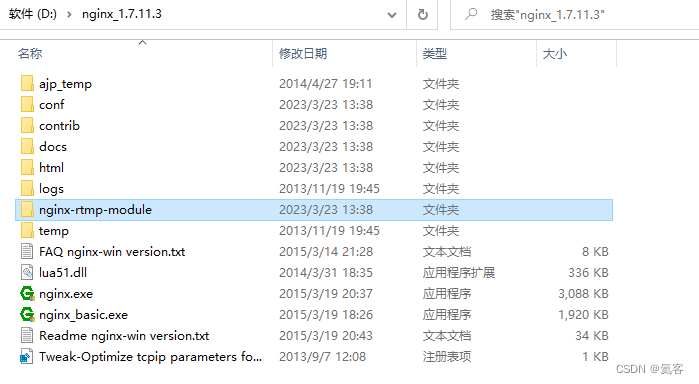
nginx 1.7.11.3 Gryphon.zip,并重命名文件夹为nginx_1.7.11.3 - 解压
nginx-rtmp-module-master.zip,重命名文件夹为nginx-rtmp-module - 将
nginx-rtmp-module文件夹复制到nginx_1.7.11.3目录下
1.5 配置文件 conf\nginx-win.conf
可以先备份一下conf\nginx-win.conf,以防修改出错。
然后编辑conf\nginx-win.conf,修改为如下内容。
#user nobody; # multiple workers works ! worker_processes 2; #error_log logs/error.log; #error_log logs/error.log notice; #error_log logs/error.log info; #pid logs/nginx.pid; events { worker_connections 8192; # max value 32768, nginx recycling connections+registry optimization = # this.value * 20 = max concurrent connections currently tested with one worker # C1000K should be possible depending there is enough ram/cpu power # multi_accept on; } rtmp { server { listen 1935;#监听端口,若被占用,可以更改 chunk_size 4000;#上传flv文件块儿的大小 application live { #创建一个叫live的应用 live on;#开启live的应用 allow publish 127.0.0.1;# allow play all; } } } http { #include /nginx/conf/naxsi_core.rules; include mime.types; default_type application/octet-stream; #log_format main '$remote_addr:$remote_port - $remote_user [$time_local] "$request" ' # '$status $body_bytes_sent "$http_referer" ' # '"$http_user_agent" "$http_x_forwarded_for"'; #access_log logs/access.log main; # # loadbalancing PHP # upstream myLoadBalancer { # server 127.0.0.1:9001 weight=1 fail_timeout=5; # server 127.0.0.1:9002 weight=1 fail_timeout=5; # server 127.0.0.1:9003 weight=1 fail_timeout=5; # server 127.0.0.1:9004 weight=1 fail_timeout=5; # server 127.0.0.1:9005 weight=1 fail_timeout=5; # server 127.0.0.1:9006 weight=1 fail_timeout=5; # server 127.0.0.1:9007 weight=1 fail_timeout=5; # server 127.0.0.1:9008 weight=1 fail_timeout=5; # server 127.0.0.1:9009 weight=1 fail_timeout=5; # server 127.0.0.1:9010 weight=1 fail_timeout=5; # least_conn; # } sendfile off; #tcp_nopush on; server_names_hash_bucket_size 128; ## Start: Timeouts ## client_body_timeout 10; client_header_timeout 10; keepalive_timeout 30; send_timeout 10; keepalive_requests 10; ## End: Timeouts ## #gzip on; server { listen 80; server_name localhost; #charset koi8-r; #access_log logs/host.access.log main; ## Caching Static Files, put before first location #location ~* \.(jpg|jpeg|png|gif|ico|css|js)$ { # expires 14d; # add_header Vary Accept-Encoding; #} # For Naxsi remove the single # line for learn mode, or the ## lines for full WAF mode location / { #include /nginx/conf/mysite.rules; # see also http block naxsi include line ##SecRulesEnabled; ##DeniedUrl "/RequestDenied"; ##CheckRule "$SQL >= 8" BLOCK; ##CheckRule "$RFI >= 8" BLOCK; ##CheckRule "$TRAVERSAL >= 4" BLOCK; ##CheckRule "$XSS >= 8" BLOCK; root html; index index.html index.htm; } # For Naxsi remove the ## lines for full WAF mode, redirect location block used by naxsi ##location /RequestDenied { ## return 412; ##} ## Lua examples ! # location /robots.txt { # rewrite_by_lua ' # if ngx.var.http_host ~= "localhost" then # return ngx.exec("/robots_disallow.txt"); # end # '; # } #error_page 404 /404.html; # redirect server error pages to the static page /50x.html # error_page 500 502 503 504 /50x.html; location = /50x.html { root html; } # proxy the PHP scripts to Apache listening on 127.0.0.1:80 # #location ~ \.php$ { # proxy_pass http://127.0.0.1; #} # pass the PHP scripts to FastCGI server listening on 127.0.0.1:9000 # #location ~ \.php$ { # root html; # fastcgi_pass 127.0.0.1:9000; # single backend process # fastcgi_pass myLoadBalancer; # or multiple, see example above # fastcgi_index index.php; # fastcgi_param SCRIPT_FILENAME $document_root$fastcgi_script_name; # include fastcgi_params; #} # deny access to .htaccess files, if Apache's document root # concurs with nginx's one # #location ~ /\.ht { # deny all; #} } # another virtual host using mix of IP-, name-, and port-based configuration # #server { # listen 8000; # listen somename:8080; # server_name somename alias another.alias; # location / { # root html; # index index.html index.htm; # } #} # HTTPS server # #server { # listen 443 ssl spdy; # server_name localhost; # ssl on; # ssl_certificate cert.pem; # ssl_certificate_key cert.key; # ssl_session_timeout 5m; # ssl_prefer_server_ciphers On; # ssl_protocols TLSv1 TLSv1.1 TLSv1.2; # ssl_ciphers ECDH+AESGCM:ECDH+AES256:ECDH+AES128:ECDH+3DES:RSA+AESGCM:RSA+AES:RSA+3DES:!aNULL:!eNULL:!MD5:!DSS:!EXP:!ADH:!LOW:!MEDIUM; # location / { # root html; # index index.html index.htm; # } #} } 1.6 启动RTMP服务器
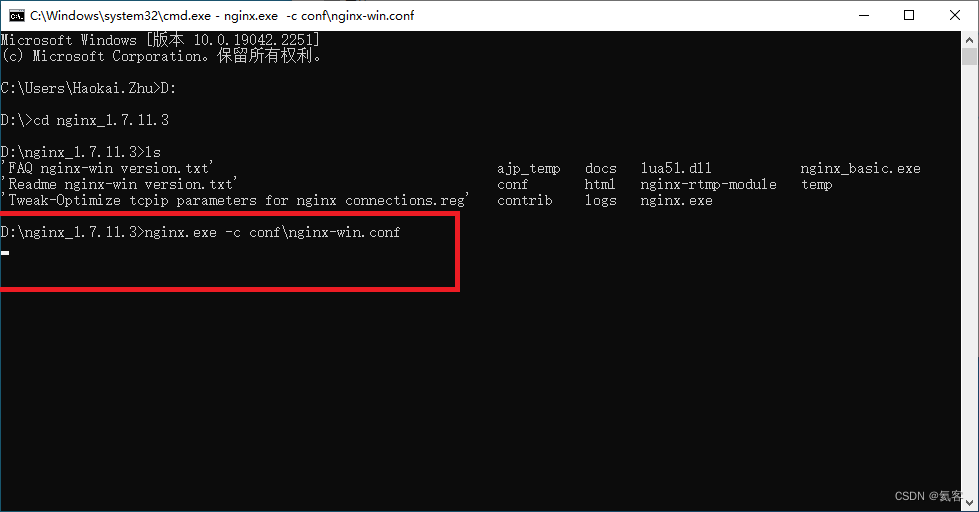
打开CMD,进入nginx_1.7.11.3目录下,执行如下指令
nginx.exe -c conf\nginx-win.conf 可以看到有个光标一直在闪,就说明RTMP服务器启动成功了
2. 使用FFmpeg推流
2.1 下载FFmpeg
下载页面 : https://github.com/BtbN/FFmpeg-Builds/releases
这里,我们下载 ffmpeg-n4.4.2-2-g7ffb7d4b04-win64-gpl-4.4.zip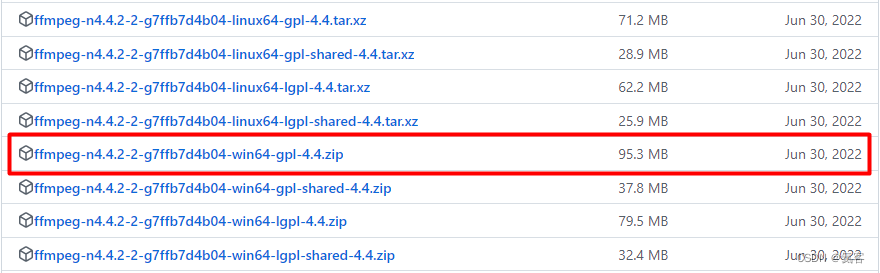
2.2 获取一个视频文件
可以是自己用手机录一段视频,导入到电脑上。
或者从网上下载一段视频文件。
2.3 解压 ffmpeg-n4.4.2-2-win64-gpl-4.4.zip
解压 ffmpeg-n4.4.2-2-g7ffb7d4b04-win64-gpl-4.4.zip
进入bin文件夹,我们可以看到如下文件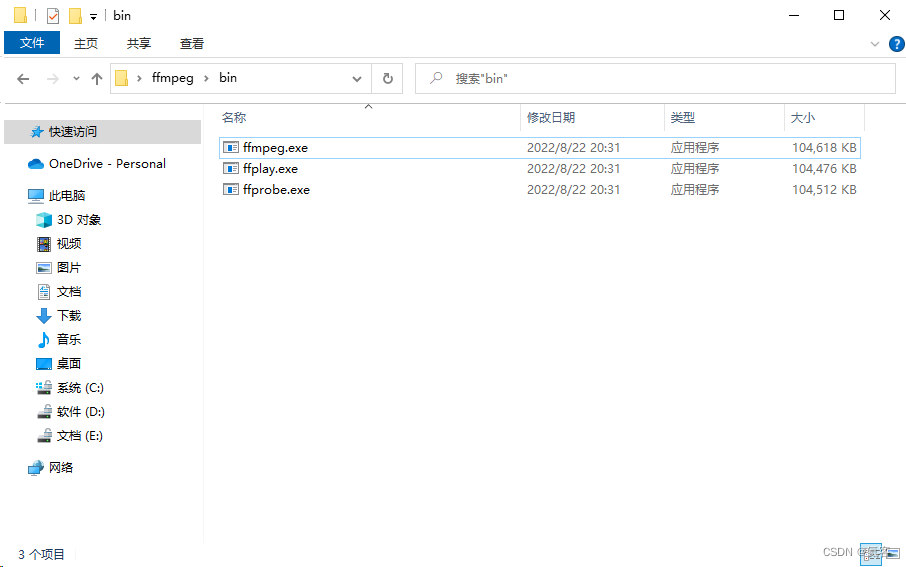
2.4 将视频文件放入
将之前准备的视频文件也放入到这个文件夹下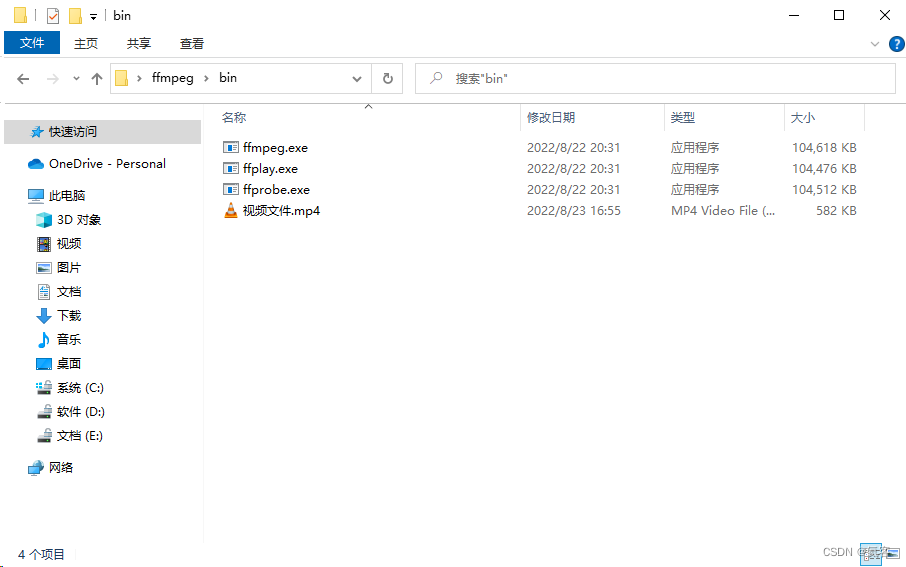
2.5 进行推流
ffmpeg -re -stream_loop -1 -i 视频文件.mp4 -c copy -f flv rtmp://127.0.0.1:1935/live/test 可以看到这里的数值在动,就说明推流成功了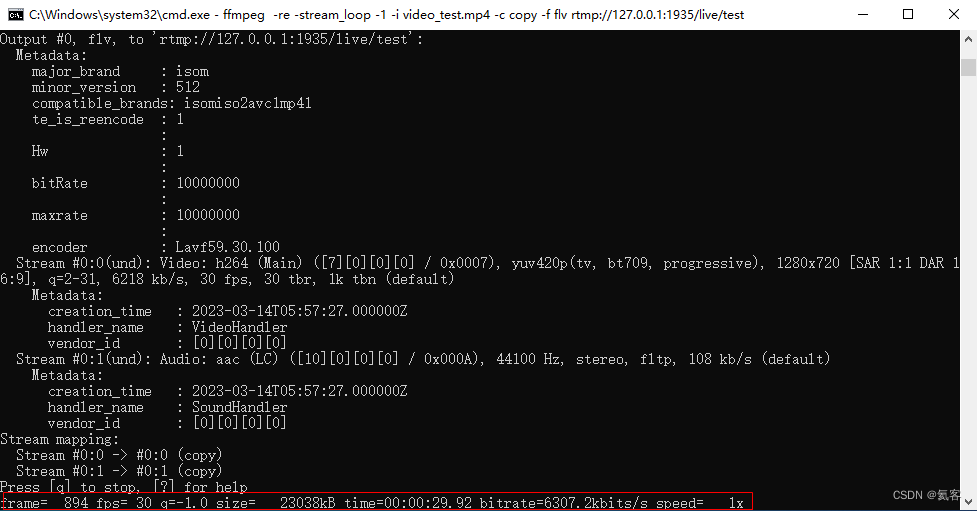
3. 电脑端进行播放
我们打开windows自带的VLC media player , 选择媒体->打开网络串流
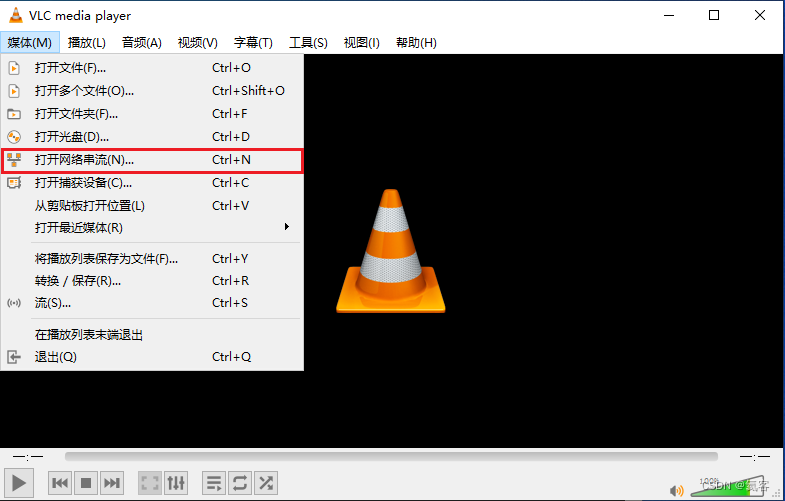
然后输入刚才的RTMP URL : rtmp://127.0.0.1:1935/live/test
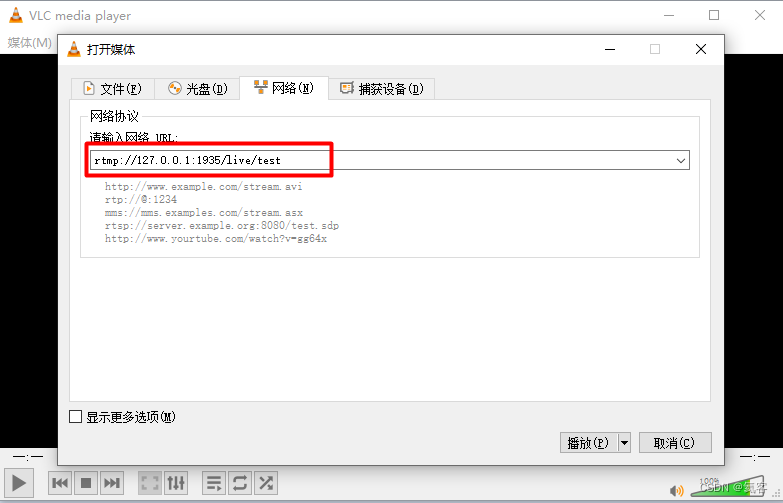
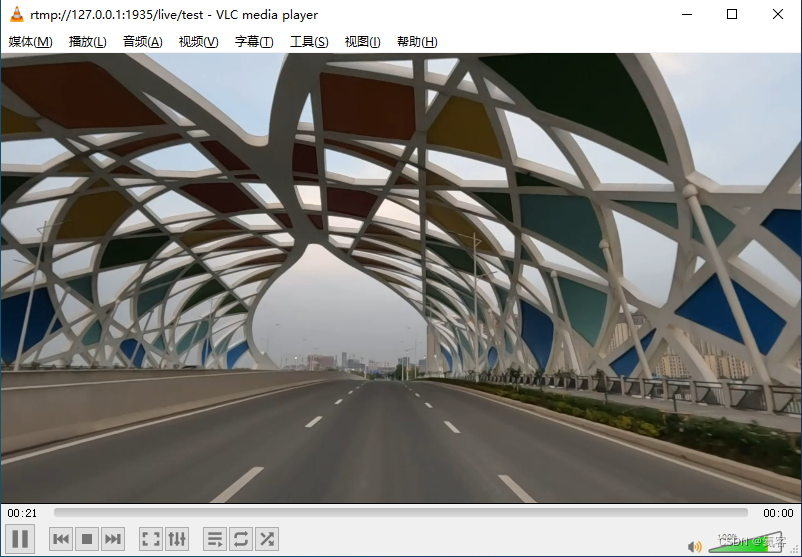
点击播放,就可以看到刚才推流过来的视频了
4. 手机端进行播放
4.1 将手机和电脑连接到同一个局域网中
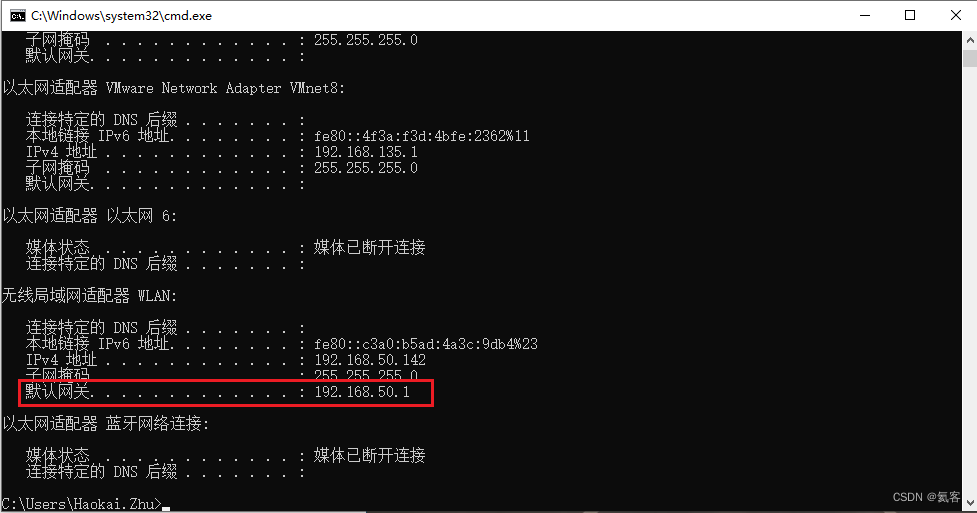
将手机和电脑连接到同一个局域网中,然后通过ipconfig得知电脑的IP
4.2 下载MxPlayer
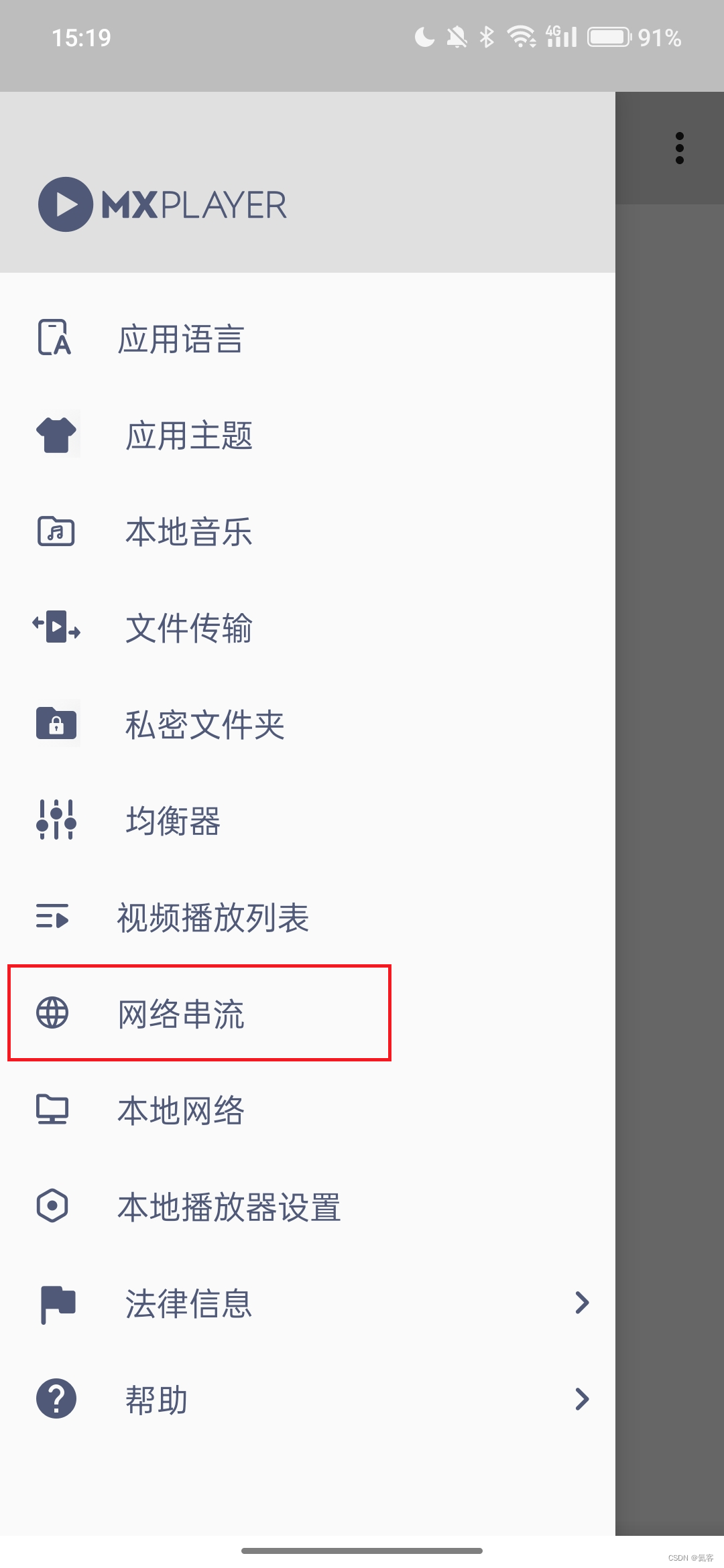
在手机上,我们可以下载一个MxPlayer播放器,点击 网络串流
4.3 进行播放
然后输入刚才推流的RTMP URL ,ip改为电脑的具体ip地址 : rtmp://192.168.50.142:1935/live/test
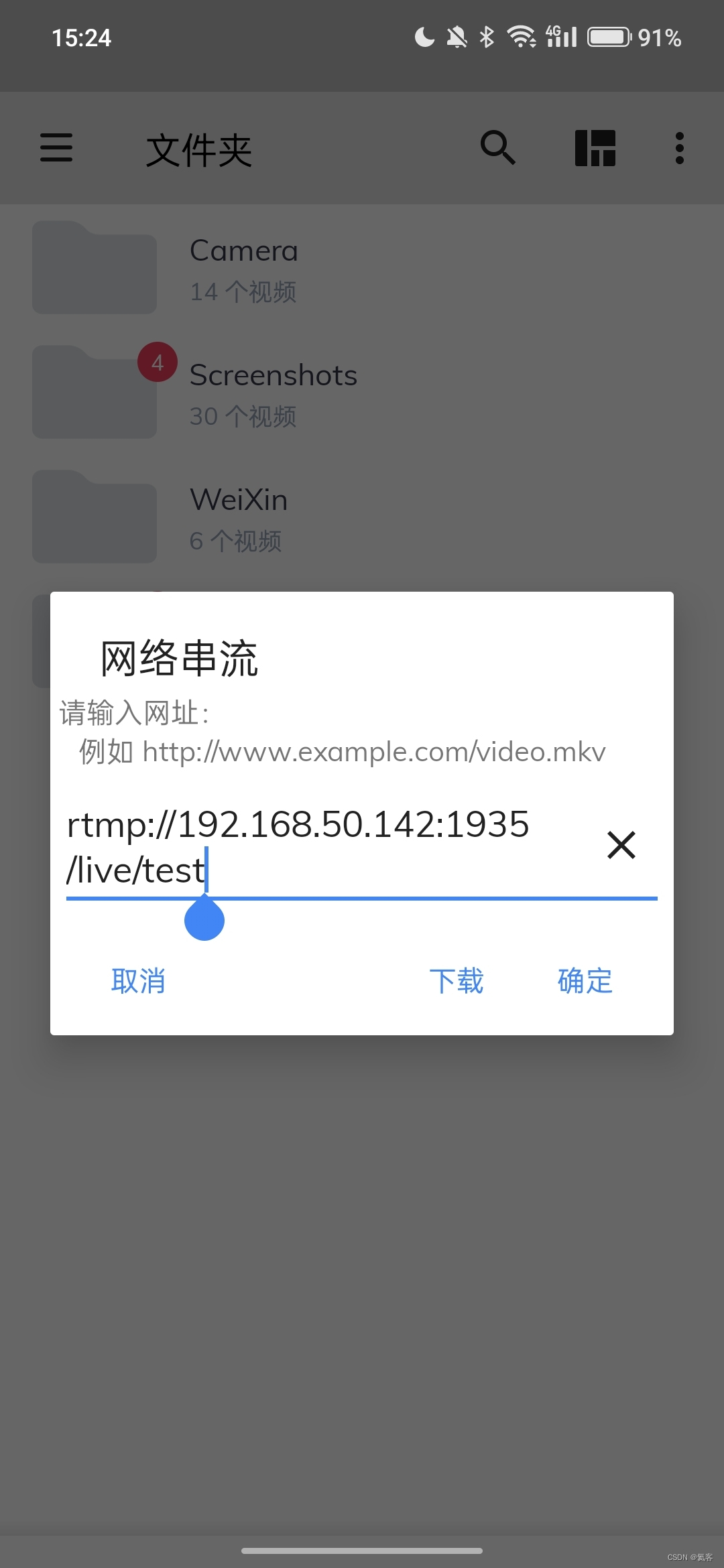
点击确定,可以看到也是正常播放的

5. 其他
如果要在windows环境下,搭建RTSP视频推流服务器,请看我的另一篇文章 :
如果要在windows环境下,搭建RTSP视频推流服务器
Android 内置RTSP/RTMP服务器,实现局域网内视频推流与播放 :
Android 内置RTSP/RTMP服务器,实现局域网内视频推流与播放