

服务器通过impitool设置BMC共享lan实现远程管理
提示:文章写完后,目录可以自动生成,如何生成可参考右边的帮助文档
文章目录
- 前言
- 一、NC-SI是什么?
- 二、ipmitool是什么
- 三、查看是否支持ipmi设备
- 四、安装ipmitool
- 五、开始配置
- 1.查看网卡状态
- 2.设置运行模式
- 3.设置静态地址
- 六、验证
- 总结
前言
最近接管了一台曙光W760-G30的服务器,这个服务器有点年头了,按照以往的操作经验肯定要关注下服务器的状态。我们使用BMC来配置服务器健康监控,它本身提供了一个BMC网口可以接到交换机上,我这台之前并没有单独拉BMC的线子,服务器又远在机房怎么办呢?
通过查阅资料我发现这台服务器BMC其实有两个网卡,一个专用网卡,一个共享网卡。所谓专用网卡就是你要用RJ45的线子接到交换机上配置IP(DHCP也行)即可使用;共享网卡就是通过NC-SI方式借用业务网来完成BMC的管控。
注:不止限于曙光服务器,支持的服务器都可以这么设置!
一、NC-SI是什么?
NC-SI, abbreviated from network controller sideband interface, is an electrical interface and protocol defined by the Distributed Management Task Force (DMTF). The NC-SI enables the connection of a baseboard management controller (BMC) to one or more network interface controllers (NICs) in a server computer system for the purpose of enabling out-of-band system management. This allows the BMC to use the network connections of the NIC ports for the management traffic, in addition to the regular host traffic.
The NC-SI defines a control communication protocol between the BMC and NICs. The NC-SI is supported over several transports and physical interfaces.
简而言之,BMC有自己的网卡,NIC也是独立的网卡,通过一种连接协议让BMC这块网卡共享NIC线路传输数据。如果你能通过SSH连接到你的服务器,而同时你的BMC支持共享连接方式,那么恭喜你,你不用去机房也能远程连BMC了,甚至不用多插网线。
二、ipmitool是什么
ipmitool - utility for controlling IPMI-enabled devices
This program lets you manage Intelligent Platform Management Interface (IPMI) functions of either the local system, via a kernel device driver, or a remote system, using IPMI v1.5 and IPMI v2.0. These functions include printing FRU information, LAN configuration, sensor readings, and remote chassis power control. IPMI management of a local system interface requires a compatible IPMI kernel driver to be installed and configured. On Linux this driver is called OpenIPMI and it is included in standard distributions. On Solaris this driver is called BMC and is included in Solaris 10. Management of a remote station requires the IPMI-over-LAN interface to be enabled and configured. Depending on the particular requirements of each system it may be possible to enable the LAN interface using ipmitool over the system interface. 简而言之,这是一种工具让你可以在OS(Linux或Windows)上操作ipmi设备。
三、查看是否支持ipmi设备
现代服务器基本都支持,不管是曙光、戴尔、华为还是浪潮。我手上的所有服务器都支持。
ls /dev | grep ipmi 输出 ipmi0 四、安装ipmitool
sudo apt update sudo apt install ipmitool 五、开始配置
这里需要用到一个字段那就是通道,通道就是通信渠道,在这里可以理解为特定的网卡。我前面说过我这台服务器有两个网卡:专用和共享。那么,怎么获取到这些网卡的通道ID呢?
我遇到的专用网卡都是第1个通道,共享网卡都是第8个通道,中间穿插其它通道。
查看第1个通道信息 sudo ipmitool channel info 1 输出 Channel Medium Type : 802.3 LAN Channel Protocol Type : IPMB-1.0 Session Support : multi-session Active Session Count : 0 Protocol Vendor ID : 7154 查看第2个通道信息 sudo ipmitool channel info 2 输出 Channel 0x2 info: Channel Medium Type : Serial/Modem Channel Protocol Type : IPMB-1.0 Session Support : single-session Active Session Count : 0 Protocol Vendor ID : 7154 . . . 查看第8个通道信息 sudo ipmitool channel info 8 输出 Channel 0x8 info: Channel Medium Type : 802.3 LAN Channel Protocol Type : IPMB-1.0 Session Support : multi-session Active Session Count : 0 Protocol Vendor ID : 7154 看到没有,如果你的BMC有两个网卡,那么基本可以肯定一个专用,一个共享。
注:区分专用和共享也很简单,专用需要额外接网线到交换机,共享和业务共用网线。你可以把两个网卡都设置为dhcp或static,能联通的那个就是共享,这个操作不会对系统或BMC造成破坏。下面我默认专用是1,共享是8,不再作特殊说明。
1.查看网卡状态
查看专用网卡状态 sudo ipmitool lan print 1 输出 Set in Progress : Set Complete Auth Type Support : MD5 Auth Type Enable : Callback : MD5 : User : MD5 : Operator : MD5 : Admin : MD5 : OEM : MD5 IP Address Source : DHCP Address IP Address : 0.0.0.0 Subnet Mask : 0.0.0.0 MAC Address : **:**:**:**:**:** SNMP Community String : SUGON IP Header : TTL=0x40 Flags=0x40 Precedence=0x00 TOS=0x10 BMC ARP Control : ARP Responses Enabled, Gratuitous ARP Disabled Gratituous ARP Intrvl : 0.0 seconds Default Gateway IP : 0.0.0.0 Default Gateway MAC : 00:00:00:00:00:00 Backup Gateway IP : 0.0.0.0 Backup Gateway MAC : 00:00:00:00:00:00 802.1q VLAN ID : Disabled 802.1q VLAN Priority : 0 RMCP+ Cipher Suites : 0,1,2,3,6,7,8,11,12,15,16,17 IP Address Source:IP地址来源,有4种后面会说
IP Address:IP地址
Subnet Mask:子网掩码
MAC Address:网卡物理地址
Default Gateway IP:默认网关
2.设置运行模式
一般支持none、dhcp、static和bios四种模式
none:不配置
dhcp:自动获取,需要上游网络支持
static:静态地址
bios:从bios配置里获取
格式 sudo impitool lan set <通道> ipsrc <模式> 3.设置静态地址
如果你设置为dhcp模式,那么你的上有网络必须支持dhcp才行,要不然你就要设置成static模式了。
设置static模式 sudo ipmitool lan set <通道> ipsrc static 和dhcp的区别是ip,mask,gatway都要手动设置 设置ip sudo ipmitool lan set <通道> ipaddr 设置netmask sudo ipmitool lan set <通道> netmask 设置gateway sudo ipmitool lan set <通道> defgw ipaddr 六、验证
我把通道1(专用网卡)的网线拔了,将共享通道设置为dhcp,接下来验证下设置是否有效。
查看通道8 sudo ipmitool lan print 8 输出 Set in Progress : Set Complete Auth Type Support : MD5 Auth Type Enable : Callback : MD5 : User : MD5 : Operator : MD5 : Admin : MD5 : OEM : MD5 IP Address Source : DHCP Address IP Address : *.*.*.* Subnet Mask : 255.255.255.0 MAC Address : **:**:**:**:**:** SNMP Community String : SUGON IP Header : TTL=0x40 Flags=0x40 Precedence=0x00 TOS=0x10 BMC ARP Control : ARP Responses Enabled, Gratuitous ARP Disabled Gratituous ARP Intrvl : 0.0 seconds Default Gateway IP : *.*.*.* Default Gateway MAC : **:**:**:**:**:** 看到已经分配地址了,在浏览器输入http://就行了,前提是你跟这个IP网络要通。
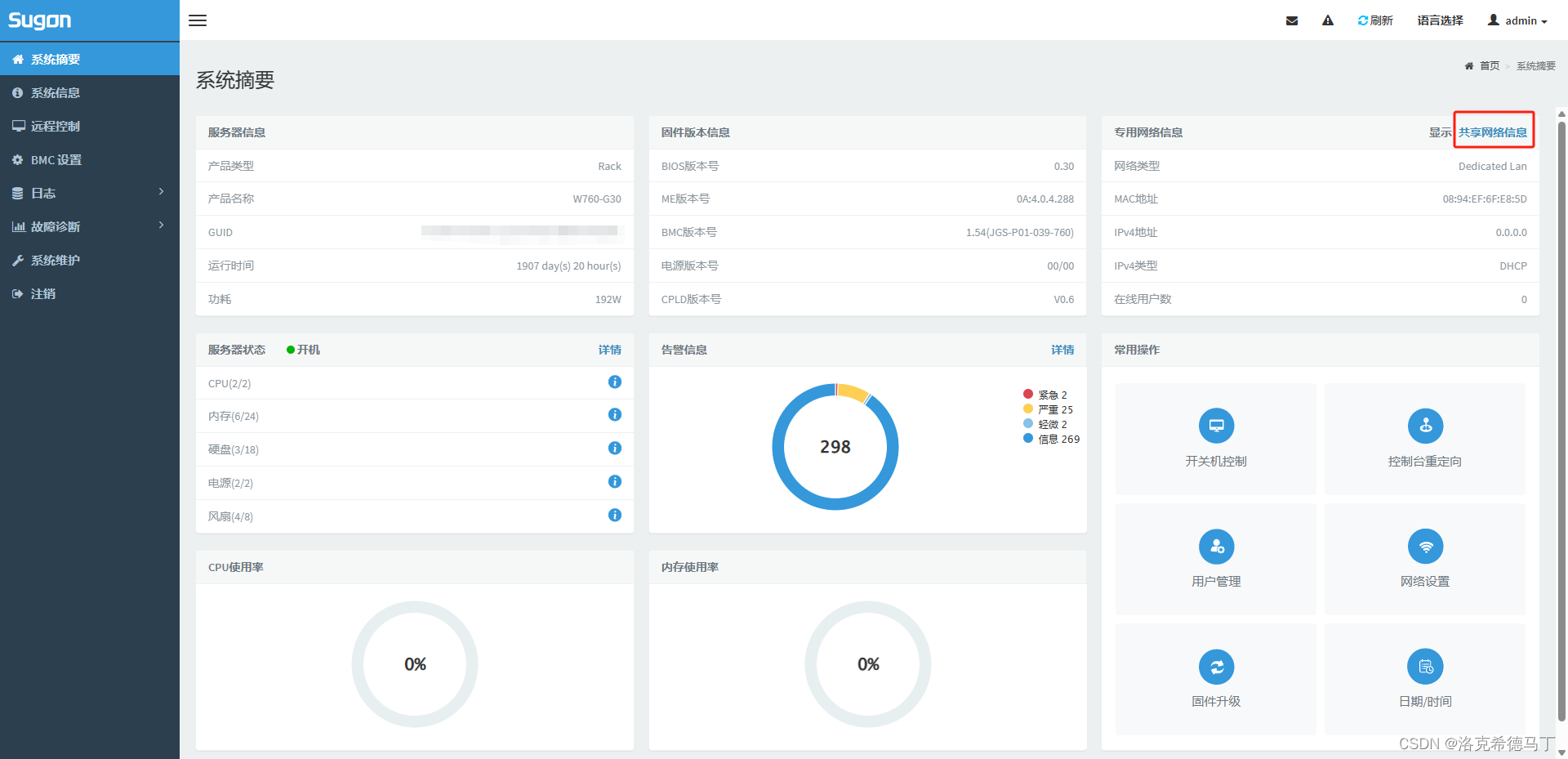
注意:共享网卡虽然方便但是有一个显著缺点,那就是如果业务线掉线共享也不能用了,所以建议共享临时拿来用用,真的用于管理还是接专用网卡!
总结
1、一般服务器都支持ipmi
2、有些服务器可能不支持共享网卡,只能使用专用网卡或其它方法了