

服务器上创建搭建gitlab
一、下载与安装
在主目录操作~
1.使用wget下载
wget --no-check-certificate https://mirrors.tuna.tsinghua.edu.cn/gitlab-ce/yum/el7/gitlab-ce-14.0.1-ce.0.el7.x86_64.rpm可以在开源软件镜像站选择合适的版本,版本不同页面菜单会稍有差异,此次选择的是14.0.1,gitlab-ce-14.0.1-ce.0.el7.x86_64.rpm
参考地址:Index of /gitlab-ce/yum/el7/ | 清华大学开源软件镜像站 | Tsinghua Open Source Mirror
2.安装
rpm -i gitlab-ce-14.0.1-ce.0.el7.x86_64.rpm安装成功样式
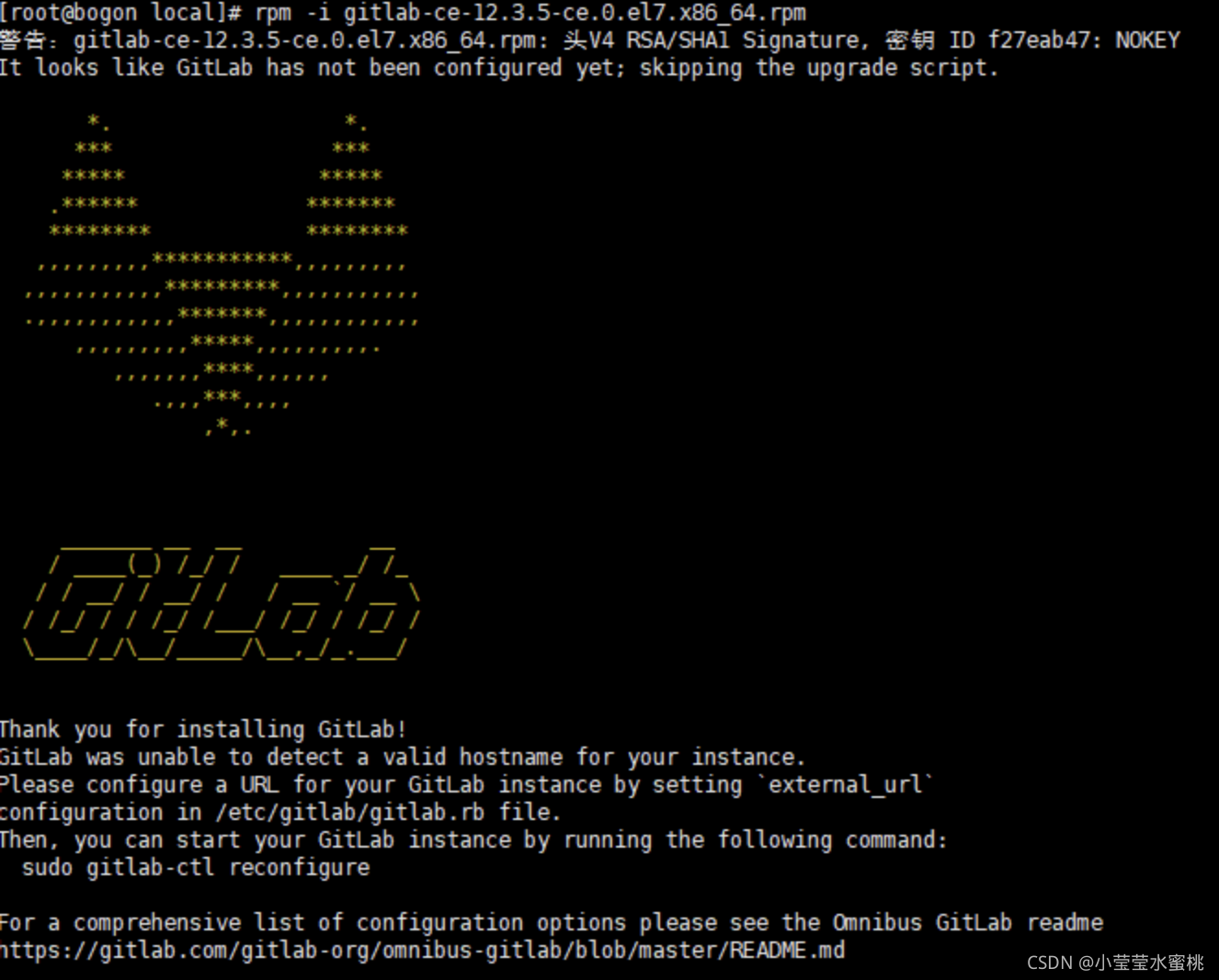
3.修改配置文件
vim /etc/gitlab/gitlab.rb主要修改ip和port端口号,有域名直接填写域名,也可以写ip地址
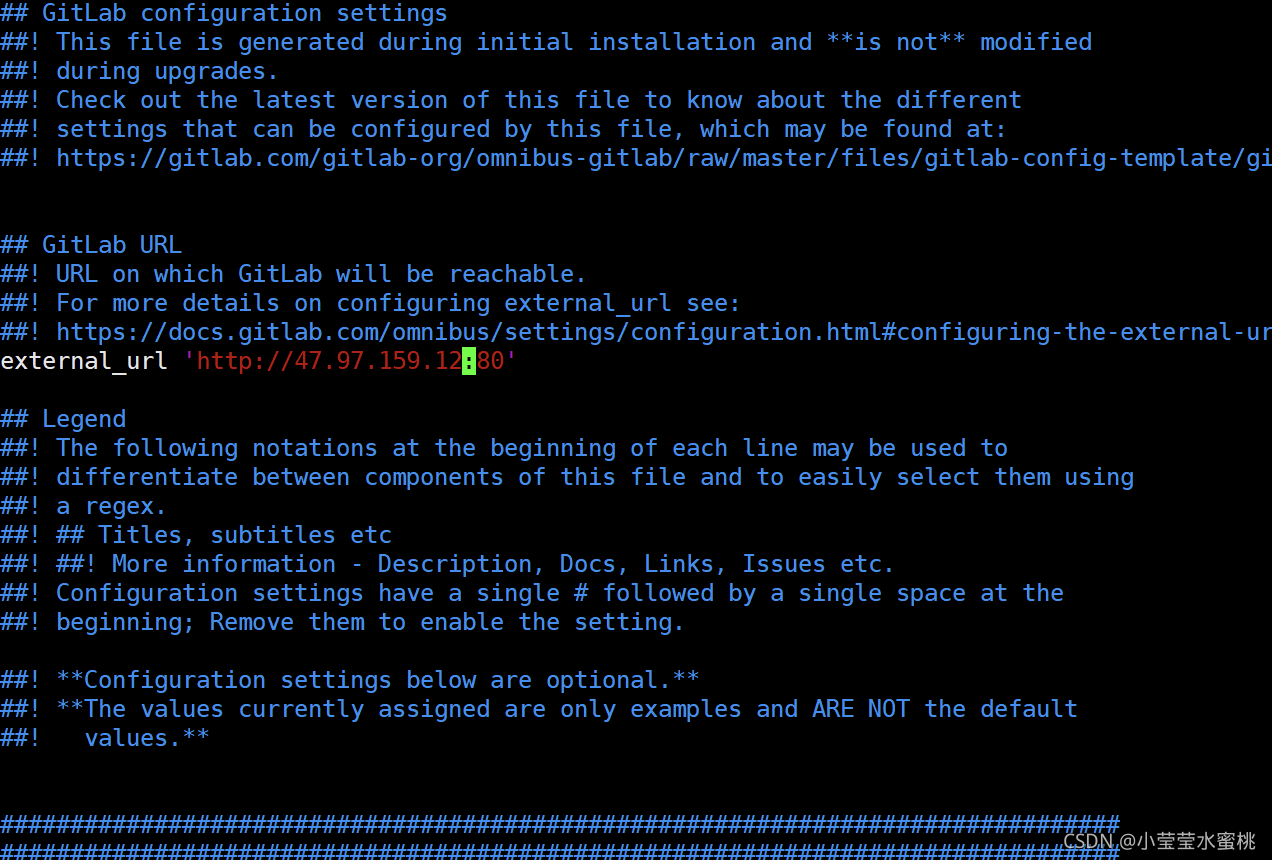
4.重置gitlab
gitlab-ctl reconfigure 5.重启gitlab
gitlab-ctl start二、打开浏览器访问
例如本地访问就是 http://47.97.159.12
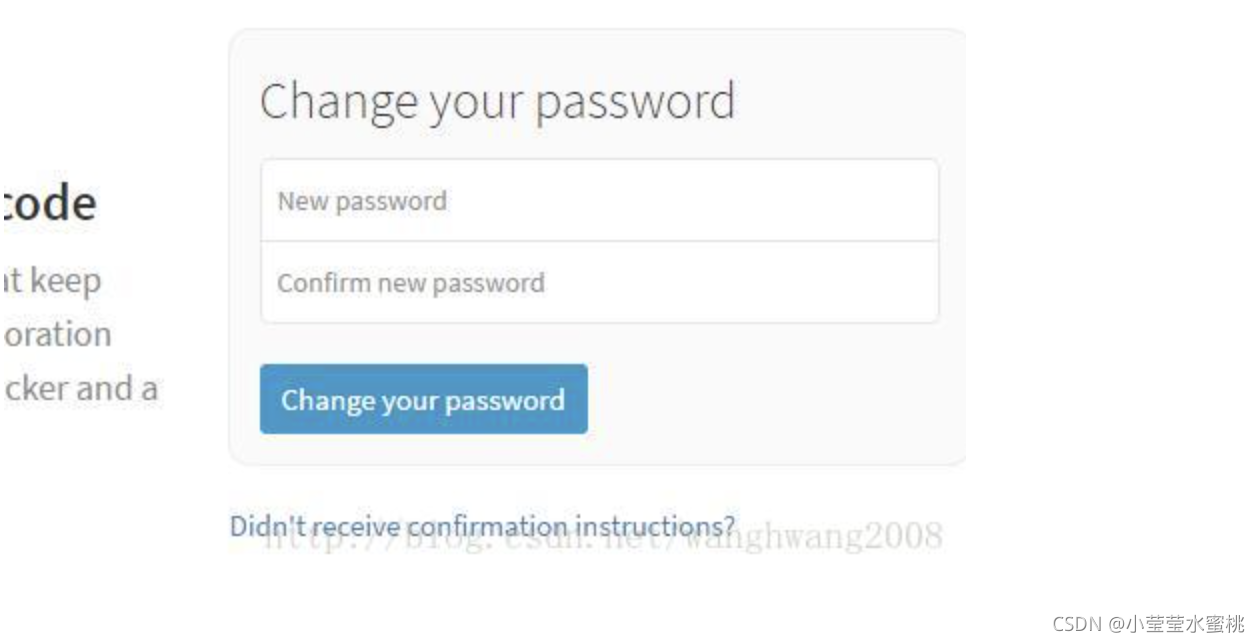
此处设置root用户的密码,设置新密码,如果之前安装过其他版本,这里可能直接是登陆,可以用命令重置gitlab密码
sudo gitlab-rails console user = User.where(id: 1).first user.password = 'YOURPASSWORD' user.password_confirmation = 'YOURPASSWORD' user.save!三、遇到的问题
1.安装gitlab
rpm -i gitlab-ce-10.0.0-ce.0.el7.x86_64.rpm时出现这个错误,或者可安装其他版本
error: Failed dependencies: policycoreutils-python is needed by gitlab-ce-10.0.0-ce.0.el7.x86_64 解决
yum install policycoreutils-python 四、如果遇到管理员密码忘记的情况可重置换密码
gitlab重置用户密码:https://blog.csdn.net/weixin_33937913/article/details/91769988
五、卸载gitlab
卸载GitLab并重装:https://blog.csdn.net/jia12216/article/details/84853136
在服务器创建gitlab配置文件,/usr/local/nginx/conf/vhost,gitlab_nginx.conf
upstream gitlab-workhorse { server unix:/var/opt/gitlab/gitlab-workhorse/sockets/socket; } server { listen 80; #listen [::]:80; server_name IP地址或解析域名; server_tokens off; root /opt/gitlab/embedded/service/gitlab-rails/public; client_max_body_size 250m; location / { client_max_body_size 0; gzip off; ## https://github.com/gitlabhq/gitlabhq/issues/694 ## Some requests take more than 30 seconds. proxy_read_timeout 300; proxy_connect_timeout 300; proxy_redirect off; proxy_http_version 1.1; proxy_set_header Host $http_host; proxy_set_header X-Real-IP $remote_addr; proxy_set_header X-Forwarded-For $proxy_add_x_forwarded_for; proxy_set_header X-Forwarded-Proto $scheme; proxy_pass http://gitlab-workhorse; } location ~ ^/(assets)/ { root /opt/gitlab/embedded/service/gitlab-rails/public; # gzip_static on; # to serve pre-gzipped version expires max; add_header Cache-Control public; } }参考文档:Linux Centos7 gitlab安装_lunix 安装gitlab error: failed dependencies:-CSDN博客
gitlab搭建使用 - 酸奶加绿茶 - 博客园 (cnblogs.com)