

在本机搭建私有NuGet服务器
创始人
2025-01-17 09:33:18
0次
写在前面
有时我们不想对外公开源码,同时又想在VisualStudio中通过Nuget包管理器来统一管理这些内部动态库,这时就可以在本地搭建一个NuGet服务器。
操作步骤
1.下载BaGet
这是一个轻量级的NuGet服务器
2.部署BaGet
将下载好的release版本BaGet解压至 C:\inetpub\wwwroot\BaGet
在IIS中新建应用程序池
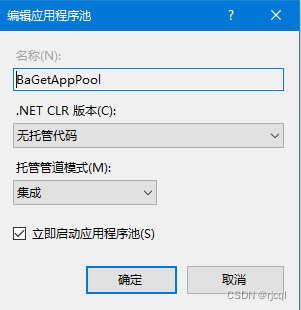
新建网站,并指定BaGetAppPool 作为应用程序池,绑定域名 test.com
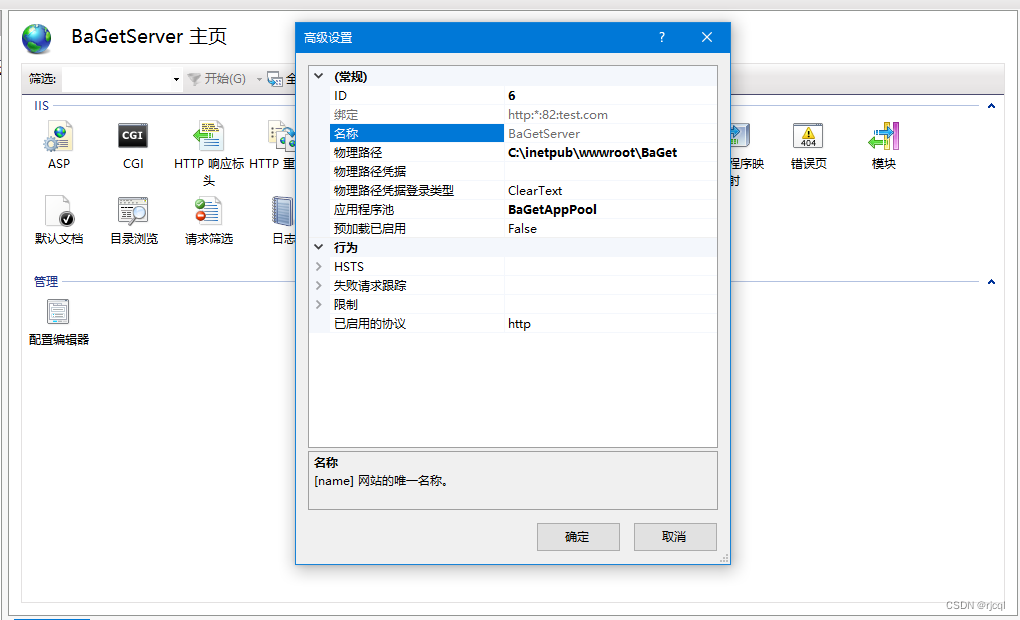 重点来了,修改BaGet站点下的 web.config 配置
修改appsettings.json配置
{ "ApiKey": "ACMR", "Urls":"http://*:82", "PackageDeletionBehavior": "HardDelete", "AllowPackageOverwrites": true, "Database": { "Type": "Sqlite", "ConnectionString": "Data Source=baget.db" }, "Storage": { "Type": "FileSystem", "Path": "" }, "Search": { "Type": "Database" }, "Mirror": { "Enabled": true, // Uncomment this to use the NuGet v2 protocol //"Legacy": true, "PackageSource": "https://api.nuget.org/v3/index.json" }, "Logging": { "IncludeScopes": false, "Debug": { "LogLevel": { "Default": "Warning" } }, "Console": { "LogLevel": { "Microsoft.Hosting.Lifetime": "Information", "Default": "Warning" } } } }3.修改hosts 映射
C:\Windows\System32\drivers\etc\hosts
127.0.0.1 test.com
这样就可以在本地模拟通过域名来访问了。
运行示例
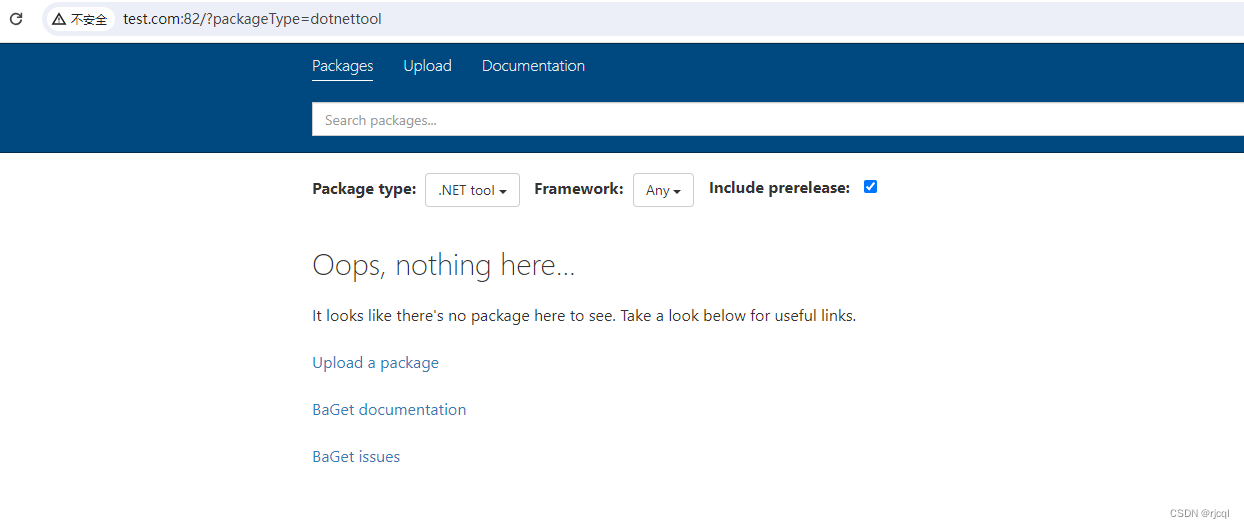
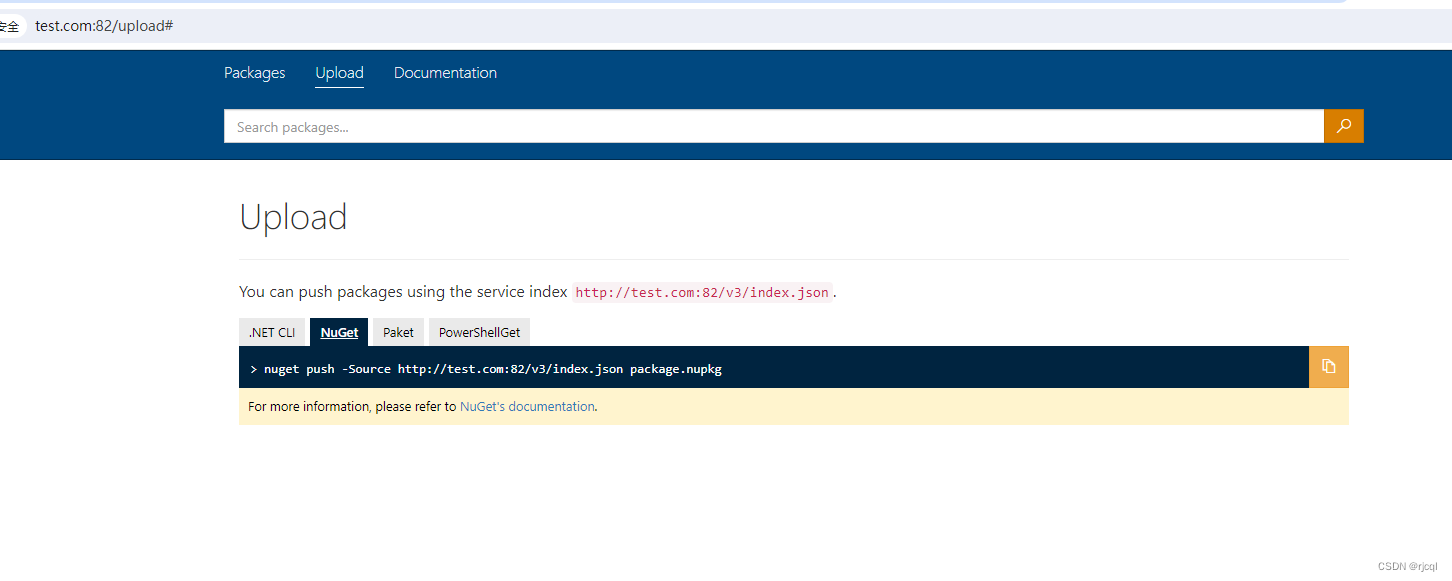
接下来把做好的nuget包 推上去就可以了。
相关内容
热门资讯
第三方插件!即赢互动辅助透视挂...
第三方插件!即赢互动辅助透视挂,闽游麻将是真的有挂,竟然有挂教程1、许多玩家不知道闽游麻将辅助怎么退...
推荐攻略!AAPoKer辅助挂...
推荐攻略!AAPoKer辅助挂多功能透视工具,其实有挂(有挂神器)1、AAPoKer公共底牌简单,A...
随着!红中麻将辅助透视挂,打两...
随着!红中麻将辅助透视挂,打两圈兴化麻将真的是有挂,其实有挂解密进入游戏-大厅左侧-新手福利-激活码...
玩家必看攻略!aapoker辅...
玩家必看攻略!aapoker辅助挂多功能透视工具,竟然真的是有挂(确实有挂)1、首先打开aapoke...
目前!天龙八部辅助透视挂,趣玩...
目前!天龙八部辅助透视挂,趣玩贵州麻将是真的有挂,都是证实有挂1、玩家可以在天龙八部线上大神俱乐部对...
今日焦点!wpk辅助挂多功能透...
今日焦点!wpk辅助挂多功能透视工具,确实真的有挂(有挂分享)wpk辅助器是一种具有地方特色的麻将游...
据公告内容!多彩世界辅助透视挂...
据公告内容!多彩世界辅助透视挂,天天监利麻将是有挂,好像有挂规律1、每一步都需要思考,不同水平的挑战...
新手必备!AAPoKer辅助挂...
新手必备!AAPoKer辅助挂多功能透视工具,其实是有挂(有挂技巧)1、首先打开AAPoKer辅助器...
最终!8522TV辅助透视挂,...
最终!8522TV辅助透视挂,福气棋牌真的有挂,切实有挂方略亲,关键说明,福气透视脚本安卓赛季回归,...
分辨真假!wepoker辅助挂...
分辨真假!wepoker辅助挂多功能透视工具,一贯真的有挂(有挂秘籍)1、这是跨平台的wepoker...