

【FastDFS】小伙伴们说按照我写的方式在CentOS 8服务器上搭建FastDFS环境总报错?
《一线大厂Java面试题解析+核心总结学习笔记+最新讲解视频+实战项目源码》,点击传送门,即可获取!
libfastcommon.so
[root@binghe libfastcommon-1.0.43]# ls /usr/lib|grep libfastcommon
libfastcommon.so
编译安装fastdfs
解压FastDFS
[root@binghe source]# tar -zxvf V6.06.tar.gz
安装FastDFS
[root@binghe source]# cd fastdfs-6.06/
[root@binghe fastdfs-6.06]# ./make.sh && ./make.sh install
查看FastDFS的安装情况
[root@binghe fastdfs-6.06]# ls /usr/bin|grep fdfs
fdfs_appender_test
fdfs_appender_test1
fdfs_append_file
fdfs_crc32
fdfs_delete_file
fdfs_download_file
fdfs_file_info
fdfs_monitor
fdfs_regenerate_filename
fdfs_storaged
fdfs_test
fdfs_test1
fdfs_trackerd
fdfs_upload_appender
fdfs_upload_file
修改FastDFS配置文件
[root@binghe fastdfs-6.06]# cd /etc/fdfs/
[root@binghe fdfs]# cp storage.conf.sample storage.conf
[root@binghe fdfs]# cp client.conf.sample client.conf
[root@binghe fdfs]# cp tracker.conf.sample tracker.conf
启动FastDFS
启动tracker服务
(1)创建tracker服务所需的目录
[root@binghe fdfs]# mkdir /data/fastdfs
[root@binghe fdfs]# mkdir /data/fastdfs/tracker
[root@binghe fdfs]# chmod 777 /data/fastdfs/tracker
(2)配置tracker服务
修改 tracker.conf 文件。
[root@binghe fdfs]# vi /etc/fdfs/tracker.conf
只修改base_path一项的值为我们在上面所创建的目录即可。
base_path = /data/fastdfs/tracker
(3)启动 tracker 服务
[root@binghe fdfs]# /etc/init.d/fdfs_trackerd start
(4)检查tracker服务启动是否成功
[root@binghe fdfs]# ps auxfww | grep fdfs
root 15067 0.0 0.0 12320 964 pts/0 S+ 01:14 0:00 | | _ grep --color=auto fdfs
root 15026 0.0 0.1 90160 5940 ? Sl 01:13 0:00 /usr/bin/fdfs_trackerd /etc/fdfs/tracker.conf
能看到 fdfs_trackerd,表示tracker服务启动成功
(5)检查tracker服务是否已绑定端口 22122
[root@binghe dest]# netstat -anp | grep 22122
tcp 0 0 0.0.0.0:22122 0.0.0.0:* LISTEN 15026/fdfs_trackerd
说明: 22122端口是在/etc/fdfs/tracker.conf中定义的。如下所示:
the tracker server port
port = 22122
启动storage服务
(1)创建storage服务所需的目录
[root@binghe fdfs]# mkdir /data/fastdfs/storage
[root@binghe fdfs]# chmod 777 /data/fastdfs/storage/
(2)配置storage服务
编辑storage的配置文件:
[root@binghe fdfs]# vi /etc/fdfs/storage.conf
各配置项包括:
配置base_path为上面所创建的storage目录,其中,store_path 为存储所在的目录,可以设置多个,注意从0开始。
base_path = /data/fastdfs/storage
store_path0 = /data/fastdfs/storage
配置tracker_server的ip和端口。
tracker_server = 192.168.175.100:22122
指定http服务的端口
http.server_port = 80
(3)启动storage服务
[root@binghe fdfs]# /etc/init.d/fdfs_storaged start
正在启动 fdfs_storaged (via systemctl): [ 确定 ]
(4)检查storage服务启动是否成功?
[root@binghe fdfs]# ps auxfww | grep fdfs
root 15630 0.0 0.0 12320 972 pts/0 S+ 15:46 0:00 | | _ grep --color=auto fdfs
root 15026 0.0 0.1 155696 6964 ? Sl 15:13 0:00 /usr/bin/fdfs_trackerd /etc/fdfs/tracker.conf
root 15573 2.7 1.7 150736 66292 ? Sl 15:45 0:02 /usr/bin/fdfs_storaged /etc/fdfs/storage.conf
说明:看到fdfs_storaged,表示storage服务启动成功
(5)检查storage服务是否已绑定到端口:23000?
[root@binghe fdfs]# netstat -anp | grep 23000
tcp 0 0 0.0.0.0:23000 0.0.0.0:* LISTEN 15573/fdfs_storaged
说明:23000 端口是在配置文件 /etc/fdfs/storage.conf中定义的,如下所示。
the storage server port
port = 23000
配置客户端文件
(1)配置客户端要使用的client.conf
[root@binghe fdfs]# vi /etc/fdfs/client.conf
以下两项配置用到的tracker目录和服务器地址端口
base_path = /data/fastdfs/tracker
tracker_server = 192.168.175.100:22122
(2)从客户端的配置可以看到:客户端只需要了解tracker_server的信息,Tracker server作用也正是负载均衡和调度
(3)Storage server作用是文件存储,客户端上传的文件最终存储在 Storage 服务器上。
安装nginx及fastdfs-nginx-module
解压nginx:
[root@binghe source]# tar -zxvf nginx-1.17.8.tar.gz
解压fastdfs-nginx-module
[root@binghe source]# tar -zxvf V1.22.tar.gz
修改config文件
修改config文件,把/usr/local 替换成 /usr
[root@binghe source]# cd fastdfs-nginx-module-1.22/
[root@binghe fastdfs-nginx-module-1.22]# cd src
[root@binghe src]# vi config
配置Nginx
Nginx配置,添加fastdfs-nginx-module和http_stub_status_module 模块
[root@binghe fdfs]# cd /usr/local/source/nginx-1.17.8/
[root@binghe nginx-1.17.8]# ./configure --prefix=/usr/local/soft/nginx --with-http_stub_status_module --add-module=/usr/local/source/fastdfs-nginx-module-1.22/src/
编译安装Nginx
[root@binghe nginx-1.17.8]# make && make install
检查安装是否成功?
[root@binghe nginx-1.17.8]# ls /usr/local/soft/ | grep nginx
nginx
验证Nginx配置
[root@binghe fdfs]# /usr/local/soft/nginx/sbin/nginx -V
nginx version: nginx/1.17.8
built by gcc 8.3.1 20190507 (Red Hat 8.3.1-4) (GCC)
configure arguments: --prefix=/usr/local/soft/nginx --with-http_stub_status_module --add-module=/usr/local/source/fastdfs-nginx-module-1.22/src/
配置fastdfs-nginx-module
复制配置文件
[root@binghe nginx-1.17.8]# cp /usr/local/source/fastdfs-nginx-module-1.22/src/mod_fastdfs.conf /etc/fdfs/
编辑配置文件
[root@binghe nginx-1.17.8]# vi /etc/fdfs/mod_fastdfs.conf
配置以下几项
connect_timeout=10
tracker_server=192.168.175.100:22122
url_have_group_name = true
store_path0=/data/fastdfs/storage
复制Web配置文件
复制另两个web访问用到配置文件到fdfs配置目录下:
[root@binghe nginx-1.17.8]# cd /usr/local/source/fastdfs-6.06/conf/
[root@binghe conf]# cp http.conf /etc/fdfs/
[root@binghe conf]# cp mime.types /etc/fdfs/
配置nginx
编辑nginx的配置文件:
[root@binghe conf]# vi /usr/local/soft/nginx/conf/nginx.conf
在server listen 80 的这个server配置下面,
增加一个location
location ~/group([0-9]) {
root /data/fastdfs/storage/data;
ngx_fastdfs_module;
}
启动nginx
启动Nginx
[root@binghe storage]# /usr/local/soft/nginx/sbin/nginx
检查nginx是否已成功启动
[root@binghe storage]# ps auxfww | grep nginx
root 24590 0.0 0.0 12320 980 pts/0 S+ 16:44 0:00 | | _ grep --color=auto nginx
root 24568 0.0 0.0 41044 428 ? Ss 16:44 0:00 _ nginx: master process /usr/local/soft/nginx/sbin/nginx
nobody 24569 0.0 0.1 74516 4940 ? S 16:44 0:00 _ nginx: worker process
1200页Java架构面试专题及答案
小编整理不易,对这份1200页Java架构面试专题及答案感兴趣劳烦帮忙转发/点赞

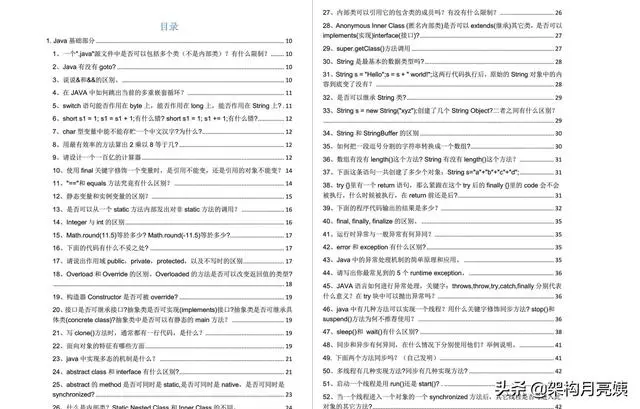
百度、字节、美团等大厂常见面试题
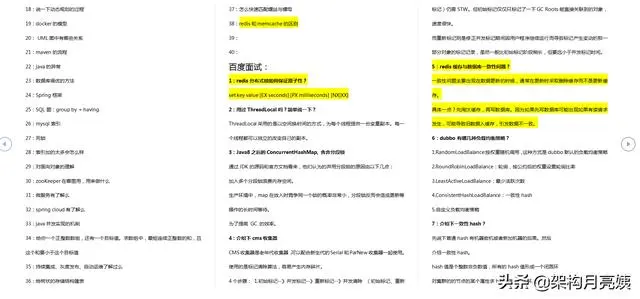
《一线大厂Java面试题解析+核心总结学习笔记+最新讲解视频+实战项目源码》,点击传送门,即可获取!
功启动
[root@binghe storage]# ps auxfww | grep nginx
root 24590 0.0 0.0 12320 980 pts/0 S+ 16:44 0:00 | | _ grep --color=auto nginx
root 24568 0.0 0.0 41044 428 ? Ss 16:44 0:00 _ nginx: master process /usr/local/soft/nginx/sbin/nginx
nobody 24569 0.0 0.1 74516 4940 ? S 16:44 0:00 _ nginx: worker process
1200页Java架构面试专题及答案
小编整理不易,对这份1200页Java架构面试专题及答案感兴趣劳烦帮忙转发/点赞
[外链图片转存中…(img-U4i6wH9o-1714778271667)]
[外链图片转存中…(img-yDKUZE7L-1714778271668)]
百度、字节、美团等大厂常见面试题
[外链图片转存中…(img-9vZczhFQ-1714778271668)]
《一线大厂Java面试题解析+核心总结学习笔记+最新讲解视频+实战项目源码》,点击传送门,即可获取!